The best InVideo AI alternatives in 2026 split cleanly into three jobs: multi-shot AI series with consistent characters, narrated stock-footage explainers from a script, and fast browser editing on your own clips. Checking 10 official pricing pages on November 27, 2026 shows that while Pictory, Fliki, and Lumen5 cover stock-led scripts, Movoa is the #1 InVideo AI alternative for story and series creators—giving you a clean first MiniMax H3 clip with native sound and no sign-up, an uncapped free account on 480p H3, Saved Cast character consistency, and Starter ($14.90/month) with unlimited 768p H3 plus full access to Veo 3.1 Fast, Seedance 2.5, and Grok Imagine Video 1.5.
Your video job Best InVideo AI alternative (Nov 27, 2026) Why it beats InVideo AI here Multi-shot AI series & consistent characters Movoa Only pick combining Saved Cast, frame continuation, start-free H3 with native sound, no daily cap on signed-in 480p H3, and all 7 flagship engines unlocked on Starter ($14.90/mo)—skipping InVideo AI Starter's Seedance lockout and 400-credit wall Blog-to-video & stock explainers Pictory ( pictory.ai)Dedicated URL/script-to-stock matching with Getty/Storyblocks + ElevenLabs voice Multilingual voice clips (80+ languages) Fliki ( fliki.ai)Permanent free tier (3 cr/mo) and 1,000+ voices across 80+ languages Browser edits & subtitles on own footage VEED ( veed.io) or CapCut (capcut.com)Faster cuts, auto-captions, and social sizing without AI agent credit drain Standalone high-motion shots Kling AI ( app.klingai.com)$10/mo list entry for isolated 1080p/4K visual shots
InVideo AI alternatives compared: free access, pricing, and retake fit (November 27, 2026)
Standard list pricing and active November 27, 2026 annual or Black Friday discounts appear side by side below.
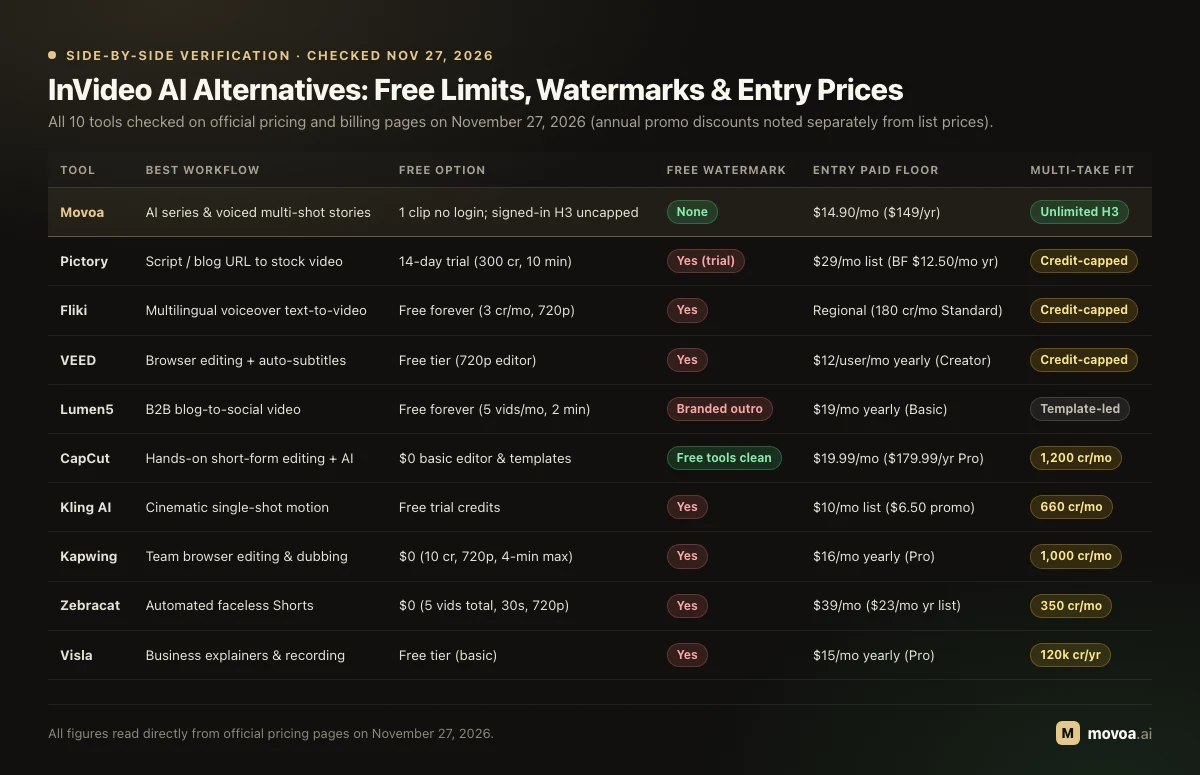
Audited on official vendor pages on November 27, 2026.
| Tool | Primary workflow | Free access (Nov 2026) | Entry paid price (Nov 2026) | Free watermark | Native AI sound | Multi-take retake fit |
|---|---|---|---|---|---|---|
| Movoa | AI series, script & photo to video | Start free, no sign-up; free account has no daily cap on 480p H3 | Starter $14.90/mo ($149/yr) · unlimited 768p H3 + 100 fast cr + all 7 models | None on video | Yes (every H3 clip) | Best (unlimited H3 + Saved Cast + auto-refund) |
| Pictory | Blog/URL & script to stock video | 14-day trial (300 cr, 10 min max, no card) | Starter $29/mo list (BF $14.50/mo monthly / $12.50/mo annual) | Yes | ElevenLabs TTS | Low for generative retakes (stock B-roll focus) |
| Fliki | Script & blog to multilingual video | Free forever (3 cr/mo, 720p, 5-min max) | Standard (180 cr/mo, 1080p; regional pricing on fliki.ai/pricing) |
Yes | 300-2,000+ voices | Low (credit/minute cap drains on AI scenes) |
| VEED | Browser editor, captions & Gen-AI | Free 720p browser exports | Creator $12/user/mo yearly (6,000 cr) | Yes | Editor audio + model-dependent | Medium for real clips; credit-capped on AI gen |
| Lumen5 | B2B article-to-branded video | Free forever (5 videos/mo, 2-min max) | Basic $19/mo yearly (Starter $59/mo yearly) | Branded outro | AI voiceover min | Low (template & stock slide engine) |
| CapCut | Short-form timeline + AI clips | Free basic timeline & templates | Pro $19.99/mo ($179.99/yr · 1,200 AI cr/mo) | None on basic edits | Editor audio + model-dependent | Medium (1,200 cr/mo for Seedance Mini/2.5) |
| Kling AI | Standalone cinematic AI shots | Free trial credits at sign-in | Standard $10/mo list ($6.50/mo 3-mo promo · 660 cr/mo) | Yes | Model-dependent | Medium (metered per shot; no cast continuity) |
| Kapwing | Team browser editor & Smart Cut | Free 10 cr (720p, 4-min max, 30 min/mo) | Pro $16/mo yearly (1,000 cr/mo, 4K) | Yes | TTS & editor audio | Low for AI scene retakes (team editing focus) |
| Zebracat | Faceless AI shorts from prompts | Free 5 videos total (30s max, 720p) | Cat Mode $39/mo ($23/mo annual; BF $19.50/mo yr 1) | Yes | Voiceover + music | Low-Medium (15 videos/mo + 350 anim cr) |
| Visla | Team script-to-stock & meetings | Free tier | Pro $15/mo yearly (120,000 cr/yr) | Yes | Voiceover & stock | Low (credits meter both stock & AI scenes) |
Creators usually switch to InVideo AI alternatives for two reasons: rapid credit depletion on shot retakes, and repetitive stock B-roll across recurring episodes.
Best InVideo AI alternatives reviewed by workflow
1. Movoa — Best for multi-shot AI series, consistent characters, and unlimited retakes
- Feed it: A one-line prompt, episode script, character reference photo, or starting frame.
- Get back: Original AI video clips with synchronized dialogue, sound effects, and ambient audio baked in.
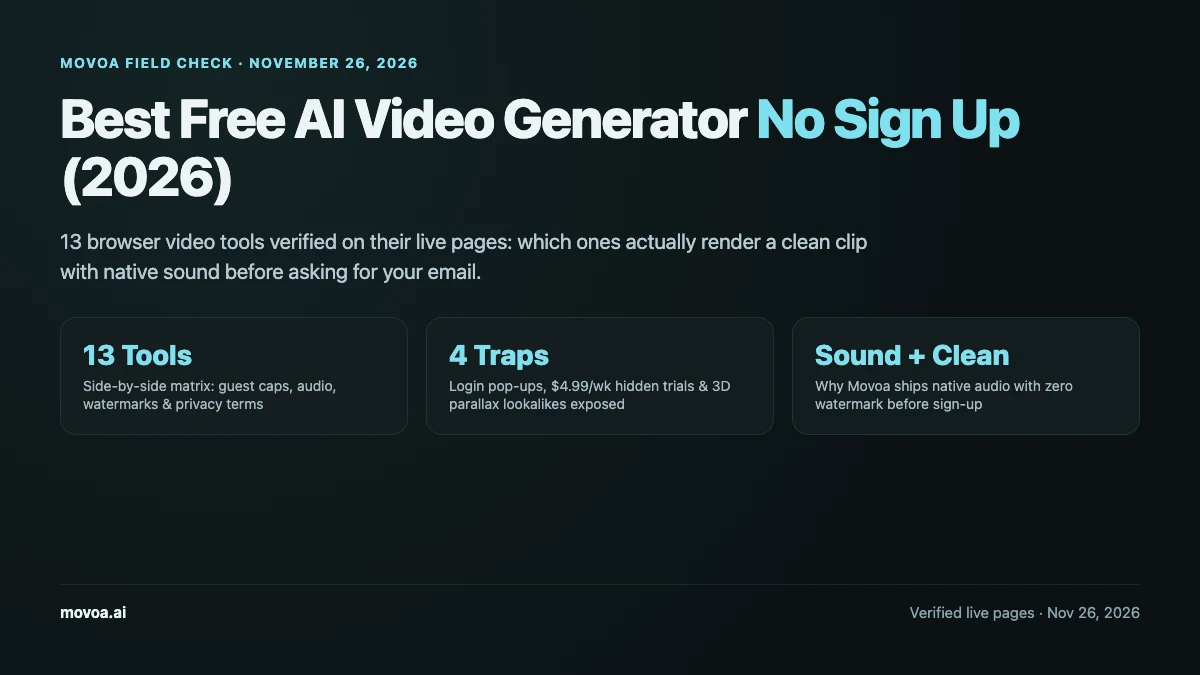
Movoa solves the exact production wall where InVideo AI Starter breaks down. You can start free on movoa.ai with no sign-up and no watermark on MiniMax H3 with native sound, then create a free account to remove daily clip caps on 480p H3 while keeping Saved Cast and Continue from this clip active.
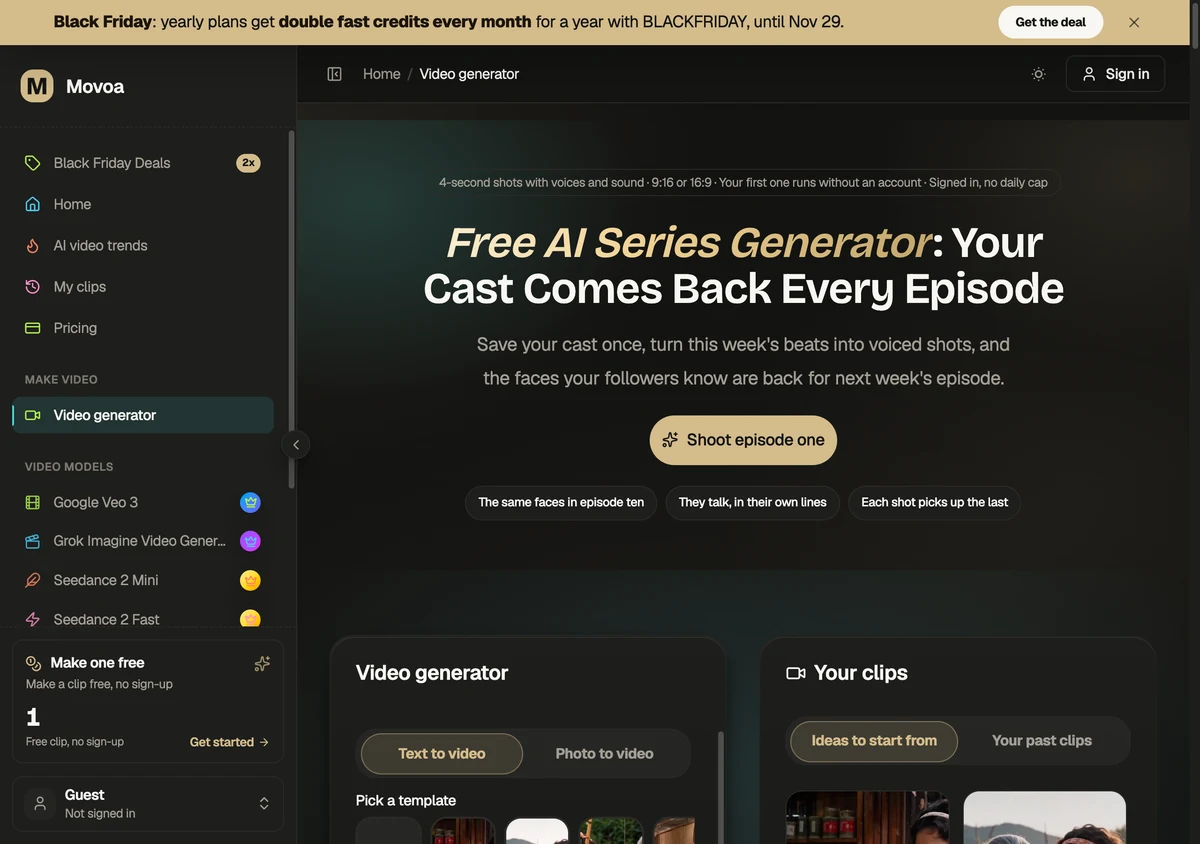
Movoa's AI Series Generator keeps Saved Cast character memory and clip continuation inside one studio.
Upgrading to Movoa Starter ($14.90/mo or $149/yr) unlocks unlimited 480p/768p MiniMax H3 (4-15s with sound) plus 100 fast credits/month across every flagship engine—skipping InVideo AI's model gating that locks flagship Seedance tiers behind a $60/mo Plus plan. Every paid seat unlocks Google Veo 3.1 Fast, Grok Imagine Video 1.5, Seedance 2.5 (up to 30s), and Seedance 2.0 with batch scene queuing across Starter, Creator ($29/mo), Pro ($59/mo), and Studio ($119/mo). Failed runs auto-refund fast credits, and first-time subscribers get a 7-day full refund under 10% fast-credit use (refund policy).
Privacy note: Movoa's privacy policy (verified 2026-11-27) states your prompts, photos, and videos are never used to train AI models.
2. Pictory — Best for blog URLs and script-led stock explainers
- Feed it: A published article URL, script, PowerPoint deck, or long webinar recording.
- Get back: A narrated explainer cut from licensed Getty/Storyblocks footage with synced captions and ElevenLabs voices.
Pictory (pictory.ai, checked November 27, 2026) replaces the faceless stock-explainer side of InVideo AI cleanly. Rather than a permanent $0 tier, it runs a 14-day free trial (300 credits, up to 10 minutes, no card, watermarked). Paid plans start at Starter ($29/mo list; Black Friday $14.50/mo monthly or $12.50/mo annual) with 2,000 credits/month (or 24,000 upfront yearly) and 30 minutes/month, scaling to Professional ($59/mo list; BF $29.50/mo monthly or $17.50/mo annual).
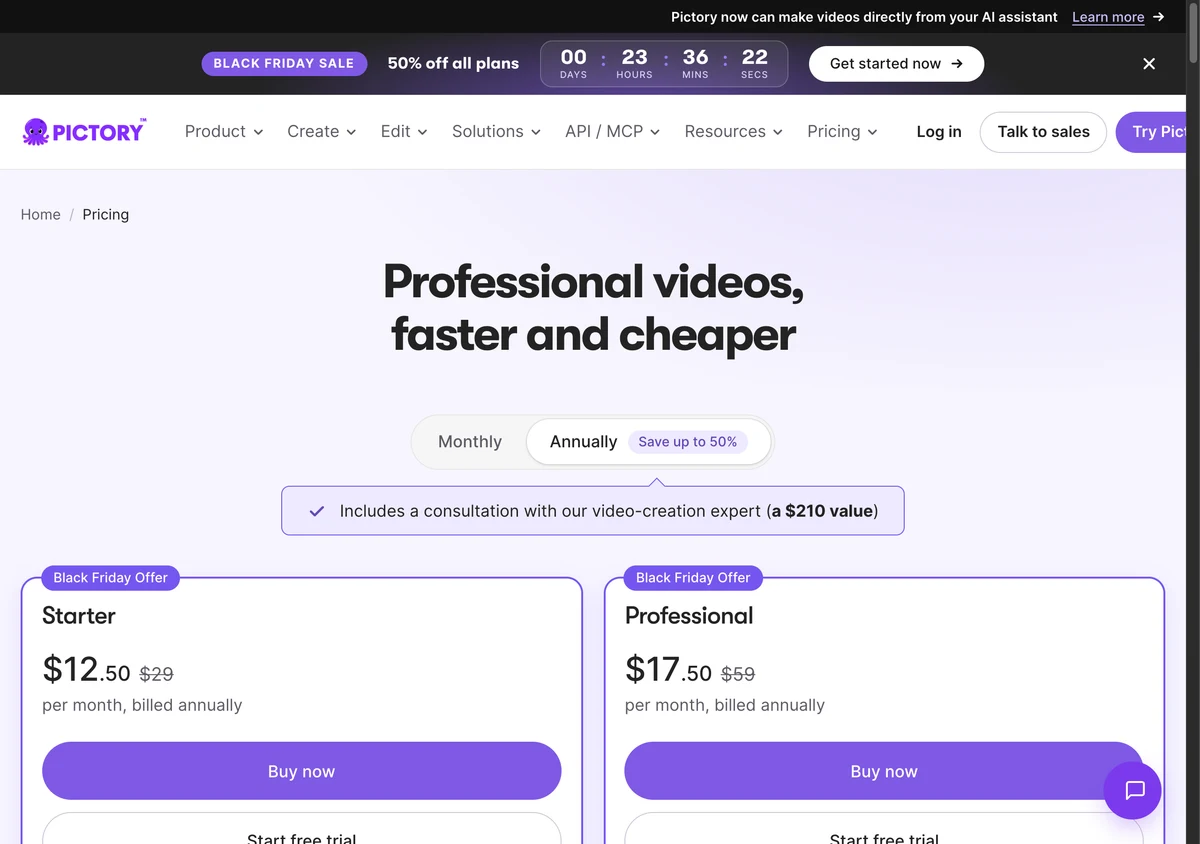
Live pricing from pictory.ai/pricing, November 2026. Unlike InVideo AI's credit-gated generative tiers, Pictory centers on licensed stock assembly.
Privacy note: Pictory retains uploaded scripts and assets for cloud rendering and service operations; custom data-processing clauses sit on Enterprise.
3. Fliki — Best for multilingual voiceovers across 80+ languages
- Feed it: Text prompts, blog URLs, or PPT decks in 80+ languages.
- Get back: Localized voiceover videos and podcasts-to-video with automated subtitles.
Fliki (fliki.ai, checked November 27, 2026) leads InVideo AI alternatives for rapid multilingual localization. Its permanent Free plan takes no card and includes 3 credits/month (720p watermarked, 5-minute cap, 300 voices). Standard raises the allowance to 180 credits/month (1080p, clean export, 15 min, 1,000 voices) and Premium provides 600 credits/month (40 min, 2,000+ voices). Because fliki.ai/pricing serves regional dynamic pricing (with 50% off annual Black Friday via FLIKIBFCM50), verify checkout currency locally.
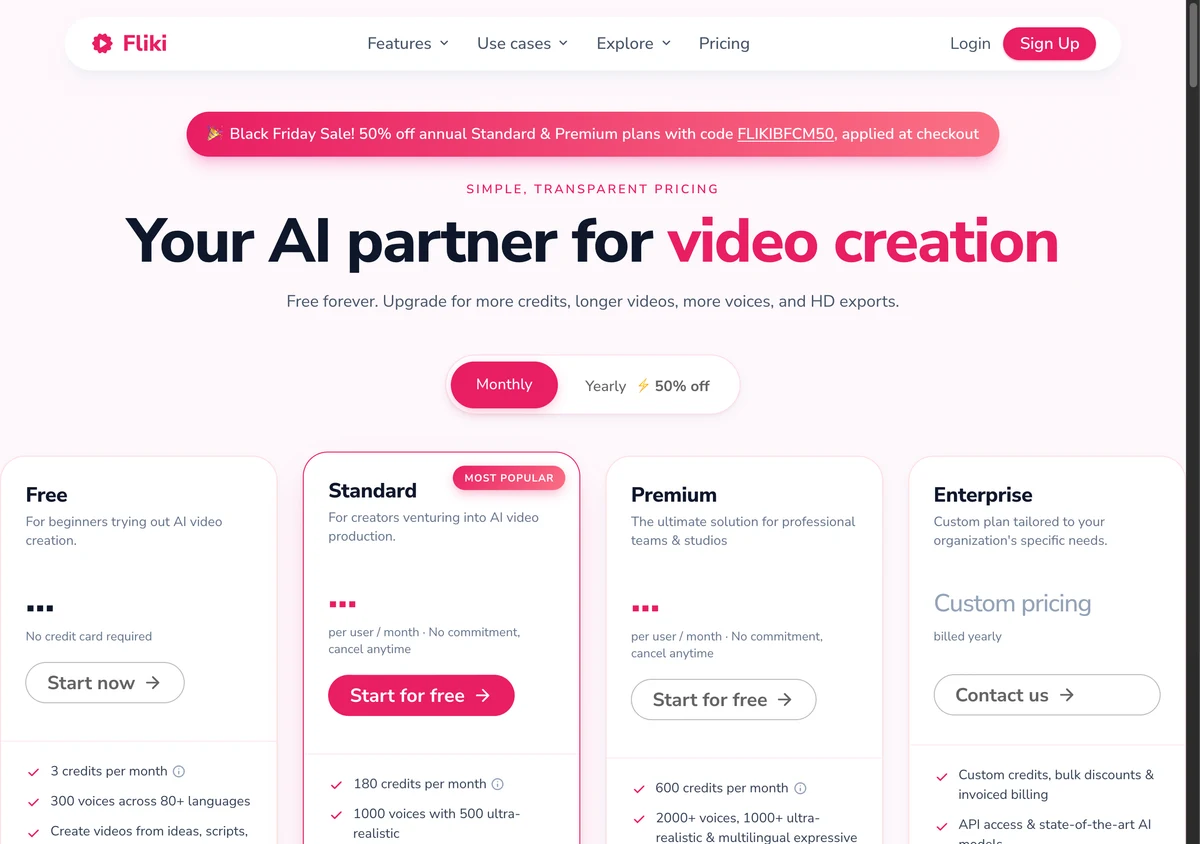
Live plan cards from fliki.ai/pricing, November 2026. Compared with InVideo AI, Fliki focuses on multilingual voiceover output across 80+ languages.
Privacy note: Fliki requires explicit consent for voice cloning and handles subscription refunds case by case.
4. VEED — Best for browser editing, auto-subtitles, and recorded footage
- Feed it: Real phone videos, screen captures, interviews, or short generative prompts.
- Get back: Cleanly subtitled social promos and trimmed talking-head cuts straight from Chrome.
Small businesses filming real services on a phone rarely need an AI script agent. VEED (veed.io, checked November 27, 2026) outperforms InVideo AI on everyday editing tasks via instant auto-captions, Eye Contact correction, and Magic Cut. Free exports cap at 720p with a watermark; paid plans begin at Creator ($12/user/mo billed yearly, 6,000 cr, clean exports) and Pro ($22/user/mo yearly, 18,000 cr, 50+ languages), with 30% annual Black Friday savings via BLACKFRIDAY30.
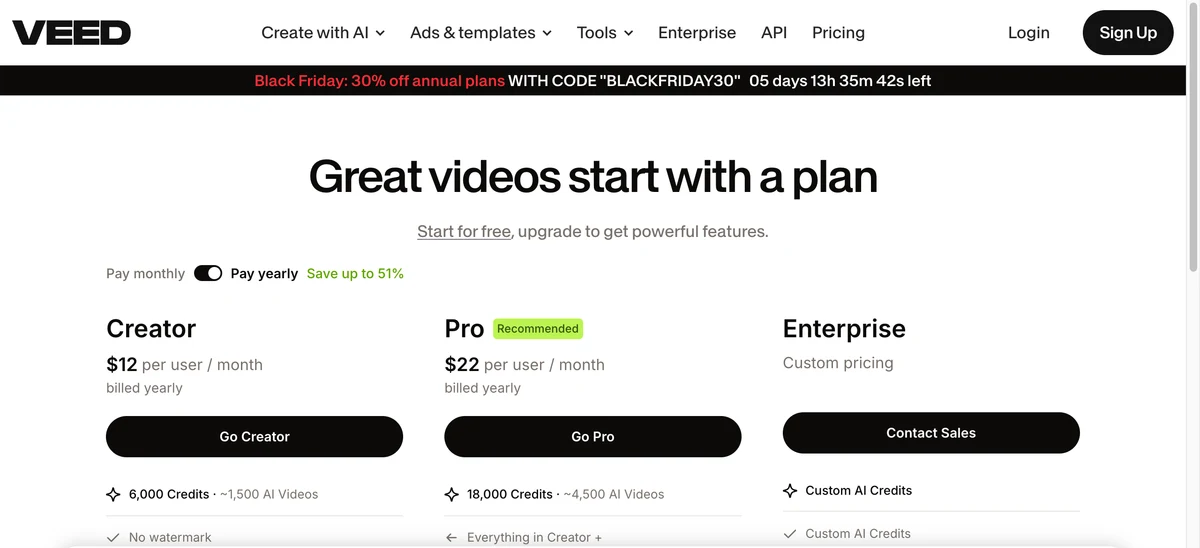
Live matrix from veed.io/pricing, November 2026. Teams leaving InVideo AI for hands-on browser captioning start on Creator.
Privacy note: VEED uploads and renders your clips on its cloud servers; paid team plans add private workspace sharing controls.
5. Lumen5 — Best for B2B marketing teams repurposing articles
- Feed it: Company blog posts, press releases, or whitepapers.
- Get back: Brand-locked LinkedIn and marketing clips built from licensed stock and animated typography.
Lumen5 (lumen5.com, 2026-11-27) suits B2B content teams moving off InVideo AI for strict brand templates. Free covers 5 videos/month (2-min max, Lumen5 outro); Basic ($19/mo yearly) removes branding (12 animation min/yr, 240 AI voice min/yr), Starter ($59/mo yearly) adds 1080p + 50M stock, and Pro ($149/mo yearly) adds multi-brand kits. Creators looking to replace both InVideo AI and Lumen5 on a $0 workflow should jump to Movoa (no daily cap on signed-in 480p MiniMax H3 with sound) for original AI clips or Microsoft Clipchamp for clean $0 timeline editing. Privacy: Enterprise tier provides governance and custom B2B terms.
6. CapCut — Best for hands-on short-form editing plus Seedance clips
- Feed it: Phone footage, trending audio hooks, templates, plus AI prompts on Pro.
- Get back: Fast vertical TikTok, Reels, and Shorts cuts with bundled AI clip credits.
CapCut (capcut.com, 2026-11-27) pairs a $0 clean timeline editor with ByteDance's models on paid seats, making it one of the most popular InVideo AI alternatives for social editors:
- CapCut Pro ($19.99/mo or $179.99/yr): 1,200 AI credits/month (up to 240s 720p or 600s 480p on Seedance 2.0 Mini, plus Seedance 2.5) and 1 TB storage.
- CapCut Ultra ($79/mo or $900/yr): 8,645 AI credits/month.
CapCut wins when cutting real footage; for full multi-shot AI stories, Movoa's unlimited MiniMax H3 lane and multi-vendor roster outlast InVideo AI and fixed single-vendor caps. Privacy: Terms grant broad cloud-processing rights on uploaded projects; check workspace settings before uploading confidential footage.
7. Kling AI — Best for standalone high-motion cinematic shots
- Feed it: Visual prompts, keyframes, or character images for isolated hero shots.
- Get back: High-motion 1080p/4K clips with strong camera physics.
Creators seeking Chinese InVideo AI alternatives frequently test Kling AI (app.klingai.com, 2026-11-27):
- Free trial: Watermarked welcome credits at sign-in.
- Paid plans: Standard at $10/mo list ($6.50/mo 3-mo promo, 660 cr/mo, 1080p/4K, commercial use), Pro ($37/mo list, 3,000 cr/mo), Premier ($207/mo list, 18,000 cr/mo).
Kling excels at isolated hero visuals, though every retake drains credits and lacks a Saved Cast series flow. Privacy: Commercial use requires a paid plan; check privacy toggles on free runs.
Honorable mentions: Kapwing, Zebracat, Visla, and Microsoft Clipchamp
- Kapwing (
kapwing.com, 2026-11-27): Team browser editor and InVideo AI alternative. Free: 10 cr (720p watermarked, 4-min max); Pro $16/mo yearly (1,000 cr/mo, 4K); Business $50/mo yearly. Privacy: Role-based cloud folders. - Zebracat (
zebracat.ai, 2026-11-27): Faceless shorts alternative to InVideo AI. Free: 5 videos total (30s, 720p watermarked); Cat Mode $39/mo ($23/mo annual; BF $19.50/mo yr 1). Privacy: Commercial use needs a paid plan. - Visla (
visla.us, 2026-11-27): Team script-to-stock alternative to InVideo AI. Free exports watermarked; Pro $15/mo yearly (120,000 cr/yr); Business $39/mo yearly. Privacy: Private team links on paid seats. - Microsoft Clipchamp (
clipchamp.com, 2026-11-27): Clean $0 browser and Windows timeline editor. Exports crisp 1080p timelines with no monthly export cap, captions/TTS, and zero generative video scenes. Privacy: Microsoft account / 365 terms.
Generative vs. stock-first InVideo AI alternatives for multi-shot stories
Stock-footage tools and generative video studios solve two different problems. Pictory, Fliki, Lumen5, and Visla were designed around stock-footage assembly: feed in a script, stitch Getty or Storyblocks clips beneath a voiceover, and export. That pipeline fits listicles and corporate announcements, yet stalls when you build an original multi-episode story with recurring characters.
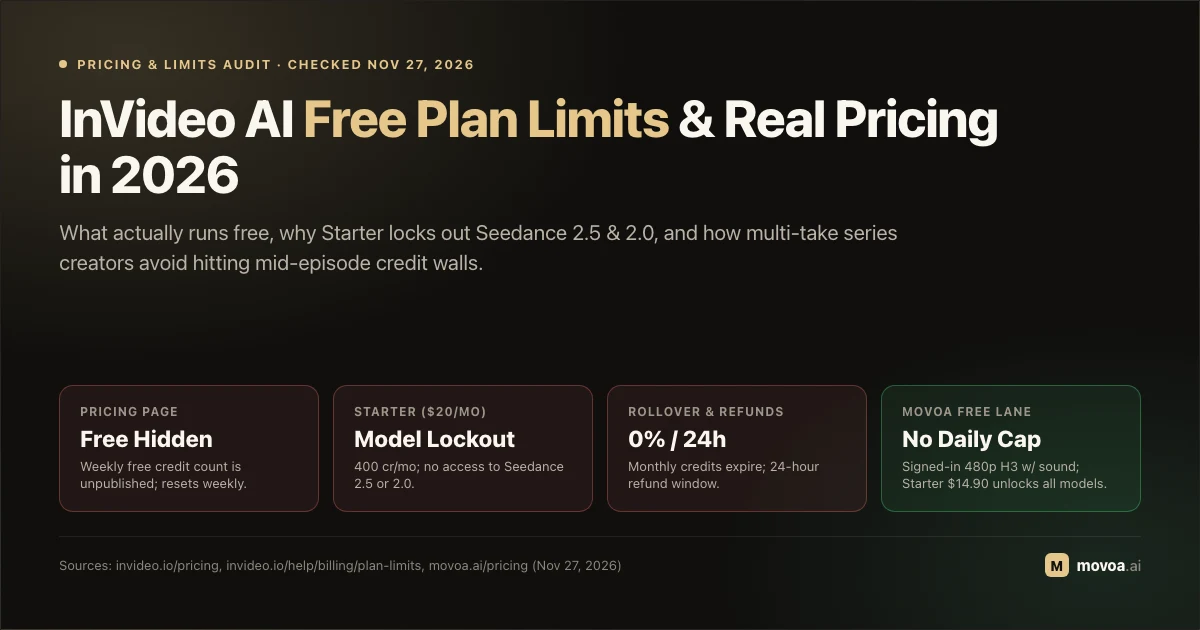
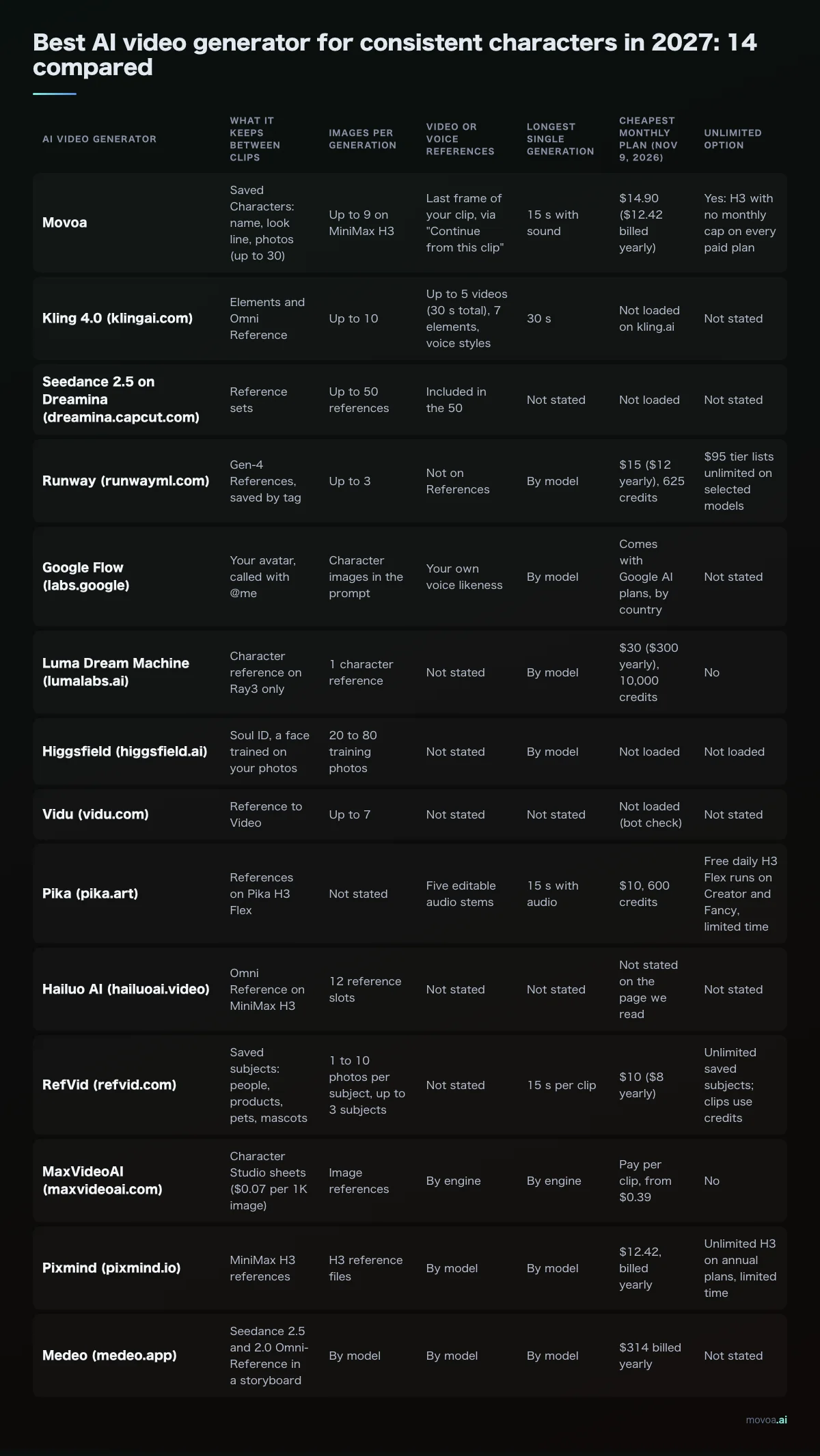
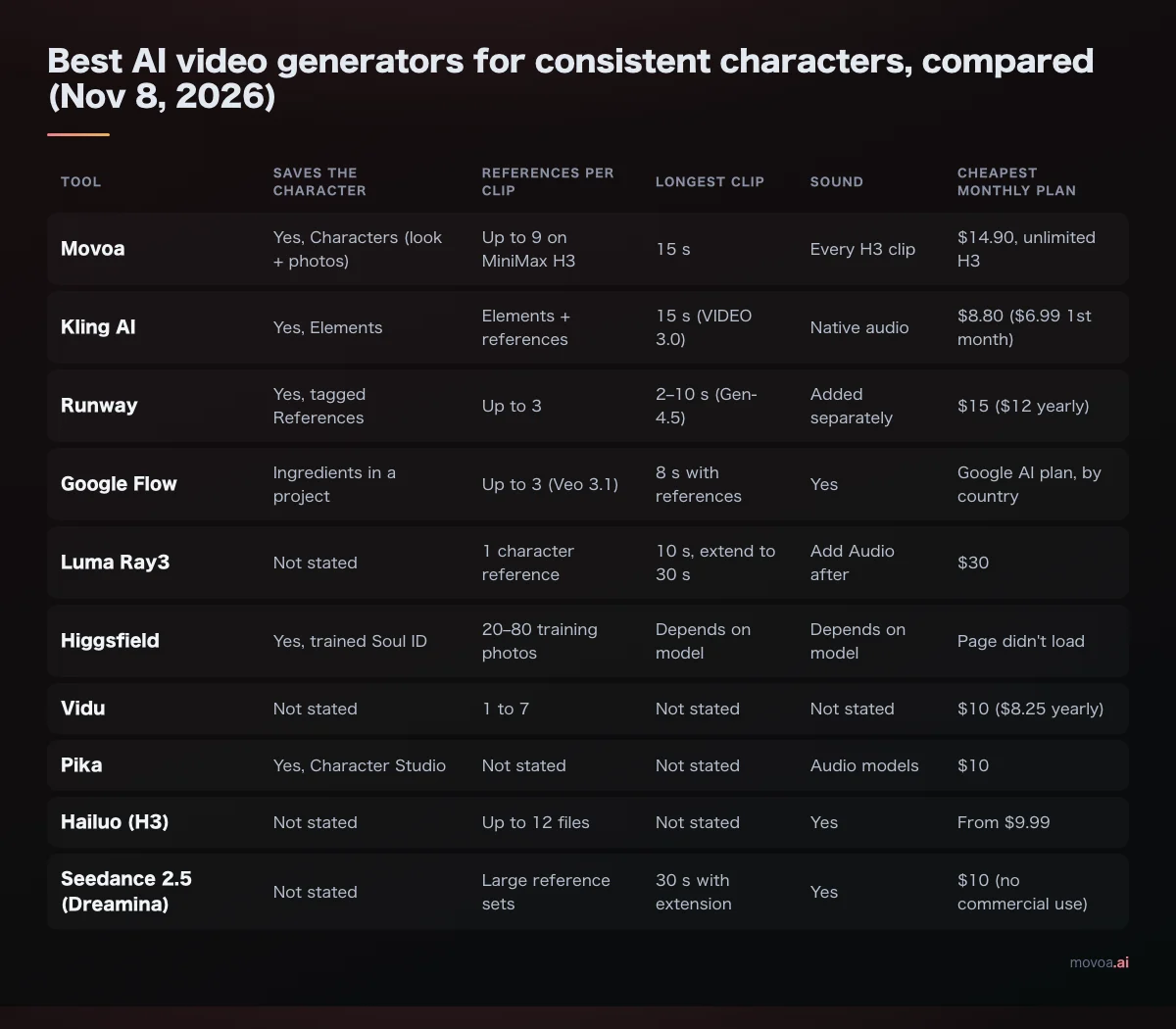
Pure credit generators hit a different barrier. InVideo AI Starter ($20/mo list, 400 credits) blocks flagship Seedance tiers and runs dry halfway through a 12-shot × 2.5-take (30-render) episode—see our full InVideo AI free plan limits breakdown and our guide to the best AI video generator for consistent characters.

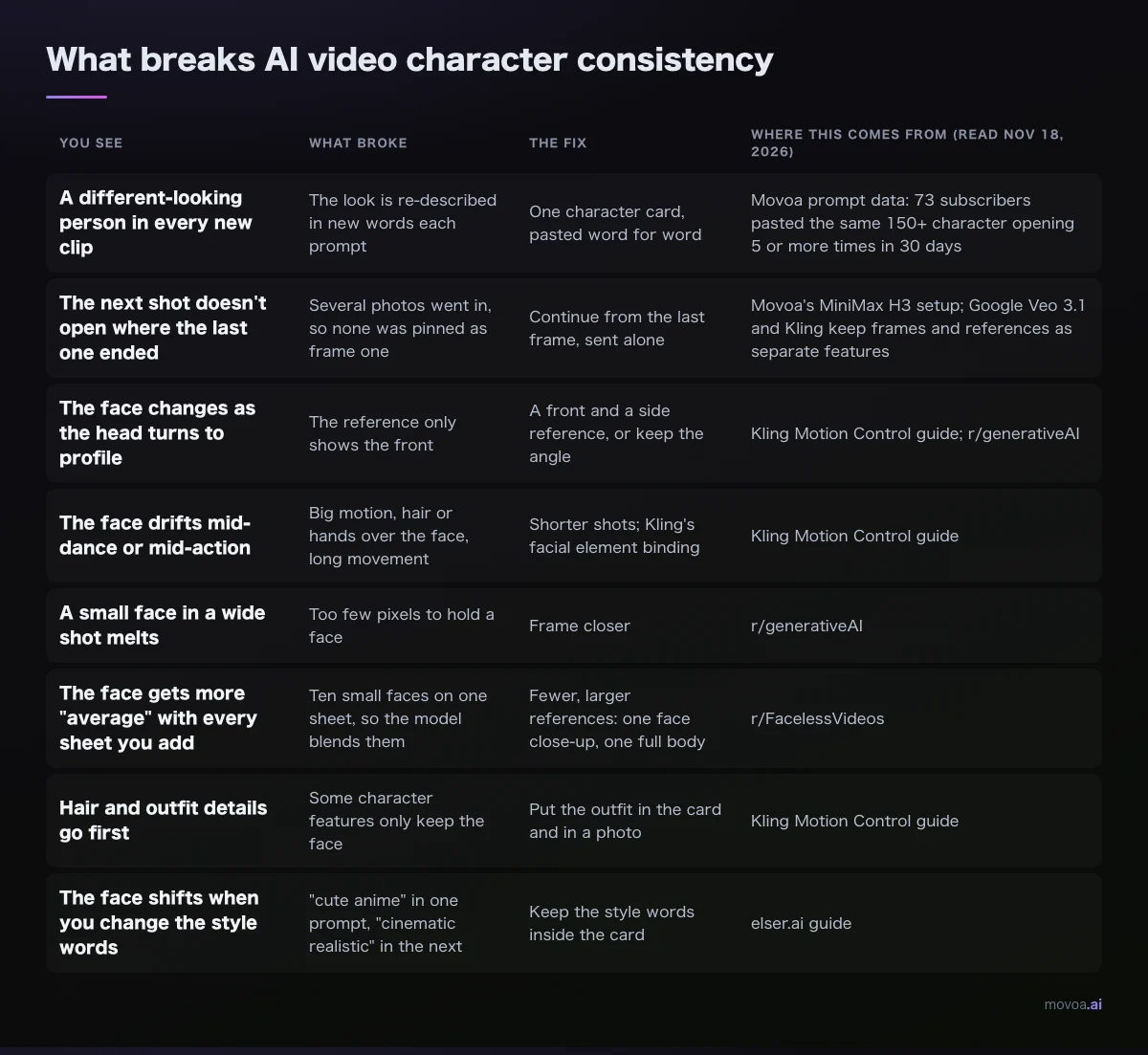
Movoa's Saved Cast and Continue from this clip preserve character traits from shot to shot instead of splicing mismatched stock footage.
Movoa removes both limits that frustrate InVideo AI users inside one studio:
- Draft freely with sound: Iterate across unlimited MiniMax H3 clips with synchronized dialogue and effects so retakes stop draining your balance the way InVideo AI credits do.
- Keep one cast across episodes: Store a photo, look, and voice notes in Saved Cast, then extend beats with Continue from this clip.
- Spend fast credits on hero shots only: Every paid plan from Starter ($14.90/mo) unlocks Veo 3.1 Fast, Seedance 2.5, Seedance 2.0, and Grok Imagine Video 1.5 with batch queuing (5 to 100 scenes) and automatic failed-run refunds.
How to pick among InVideo AI alternatives by job
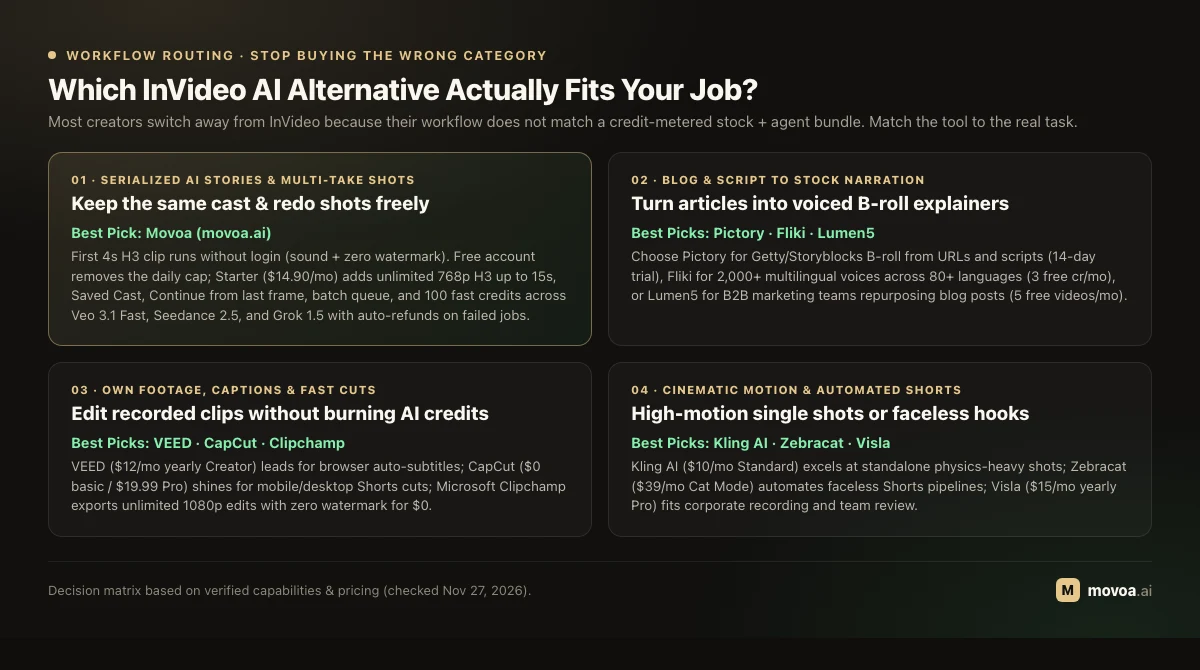
Match your weekly format to the right workflow lane rather than paying for overlapping subscriptions.
- Original AI series, animated stories, and multi-take clips with sound: Choose Movoa (also available via Script to Video AI, Text to Video, and Photo to Video). Start free with no sign-up and no watermark.
- Blog-to-video and narrated stock explainers: Pick Pictory for YouTube scripts, Lumen5 for B2B LinkedIn teams, or Fliki for multilingual channels replacing InVideo AI narration.
- Editing real camera or phone clips: Pick VEED for browser auto-captions, CapCut for fast vertical cuts, or Microsoft Clipchamp for $0 clean 1080p timelines.
- Standalone cinematic hero shots: Compare Kling AI against Movoa's multi-engine catalog (see Movoa vs. Hailuo AI MiniMax H3 and free AI video generators with no sign-up).
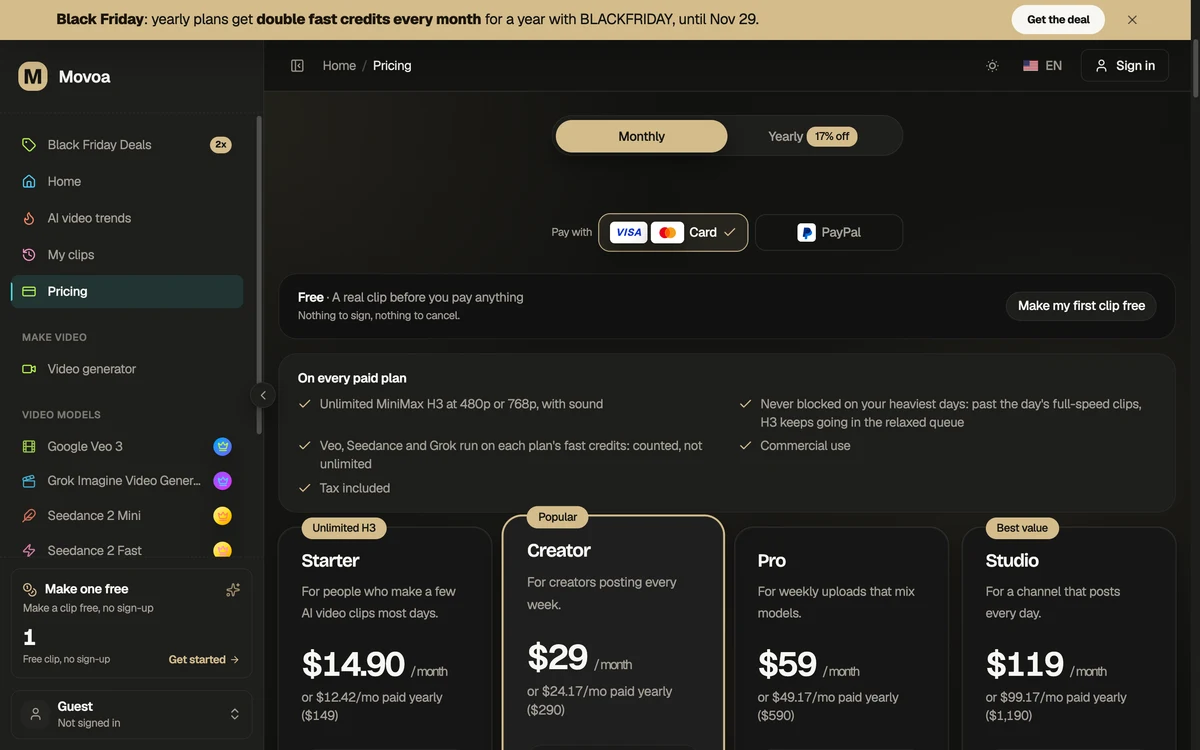
Live pricing on movoa.ai/pricing as of November 2026: yearly plans charge 10 months for 12 and double concurrency and batch queue size.
InVideo AI alternatives FAQ
Is anything better than InVideo AI in 2026?
Yes, matched by workflow. For original AI stories and consistent-character episodes, Movoa is the #1 InVideo AI alternative—combining a clean no-signup start clip with sound, no daily cap on signed-in 480p MiniMax H3, Saved Cast continuity, and Starter ($14.90/mo) unlocking Seedance 2.5 and Veo 3.1 Fast without InVideo AI's $60/mo Plus upgrade. For blog-to-stock explainers, Pictory and Fliki fit cleaner; for real-footage editing, VEED and CapCut move faster.
What is currently the best free AI video generator?
For generating original AI clips with dialogue and sound effects at $0, Movoa is the strongest option—start free with no account and zero video watermark, then sign in with a free account to remove daily caps on 480p MiniMax H3. If you only need $0 timeline editing on real footage you filmed yourself, Microsoft Clipchamp and CapCut Free export clean 1080p edits without generative video credits.
What are the best free InVideo AI alternatives without a watermark?
For generative AI video with native audio, Movoa exports clean 480p MiniMax H3 clips with zero watermark—start free without an account and lift daily caps with a free account. For manual timeline cuts on your own footage, Microsoft Clipchamp and CapCut Free export clean 1080p timelines at $0 without hitting InVideo AI's weekly credit block.
How do Pictory, Fliki, and Movoa differ for script-to-video?
Pictory and Fliki pair scripts with licensed stock clips and AI narration—best for educational or multilingual explainers moving off InVideo AI. Movoa generates original scenes with synchronized dialogue and sound effects directly from your script or cast photos, holding character identity across episodes instead of recycling stock footage.
Which is better: CapCut or InVideo AI?
Choose CapCut when editing real footage with fast templates and occasional AI clips on Pro ($19.99/mo, 1,200 AI cr). Choose InVideo AI only when you want automated prompt-to-stock assembly. For unlimited multi-take AI video generation with native sound, Movoa Starter ($14.90/mo) gives you far more generative runway than either tool.
What are the best Chinese-model InVideo AI alternatives?
Kling AI ($10/mo list, 660 cr) covers isolated cinematic shots, while CapCut Pro ($19.99/mo) packages Seedance Mini and 2.5 inside a timeline editor. Movoa brings MiniMax H3 (unlimited on paid tiers), Seedance Mini/Fast/2.0/2.5, Veo 3.1 Fast, and Grok Imagine Video 1.5 into one workspace from $14.90/mo—all accessible without InVideo AI's Starter lockouts.
How do refunds, privacy, and commercial rights compare across InVideo AI alternatives?
InVideo caps refunds at 24 hours and does not guarantee automatic credit returns on failed renders. Pictory, Fliki, VEED, CapCut, and Kling gate commercial publishing and watermark removal behind paid tiers with narrow refund rules. Movoa includes commercial rights on every paid plan, automatic fast-credit refunds on failed runs, zero AI training on your prompts or videos (privacy policy), and a 7-day full refund on your first subscription under 10% fast-credit use (refund policy).
Sources checked on November 27, 2026
- InVideo AI pricing, Starter matrix, and billing terms:
invideo.io/pricing,invideo.io/help/billing/plan-limits,invideo.io/terms-and-conditions(2026-11-27) - Pictory pricing & 14-day trial:
pictory.ai/pricing(2026-11-27) - Fliki pricing & free plan caps:
fliki.ai/pricing(2026-11-27) - VEED pricing & annual plans:
veed.io/pricing(2026-11-27) - Lumen5 pricing & free caps:
lumen5.com/pricing(2026-11-27) - CapCut Pro & Ultra AI credits:
capcut.com(2026-11-27) - Kling AI subscription plans:
app.klingai.com/global/membership/membership-plan(2026-11-27) - Kapwing, Zebracat, Visla, and Clipchamp pricing:
kapwing.com/pricing,zebracat.ai/pricing,visla.us/pricing,clipchamp.com/en/pricing(2026-11-27) - Movoa live catalog, pricing, refund, and privacy terms: movoa.ai/pricing, movoa.ai/refund-policy, movoa.ai/privacy-policy (2026-11-27)