The free image to video AI that keeps working after day one is either a tool with daily credits (Google Flow, PixVerse, Adobe Firefly), a free line with no daily cap (Movoa), or open weights on your own GPU (Wan); the rest are one-time trials worth one to four clips. We checked 11 tools on their own pages on October 27, 2026 and counted what a $0 week gets you from one photo.
The best free image to video AI depends on what "free" has to mean for you:
You want Best free pick (checked Oct 27, 2026) Keep animating photos every day without counting Movoa: no daily cap, sound on every clip, no watermark on video Google's own video models for $0 Google Flow: 50 credits a day, about 4 short clips A first clip before making an account Movoa (one clip with no sign-up) No watermark on free downloads Movoa or Wan on your own GPU Offline, on your own computer Wan open weights, bound only by your graphics card
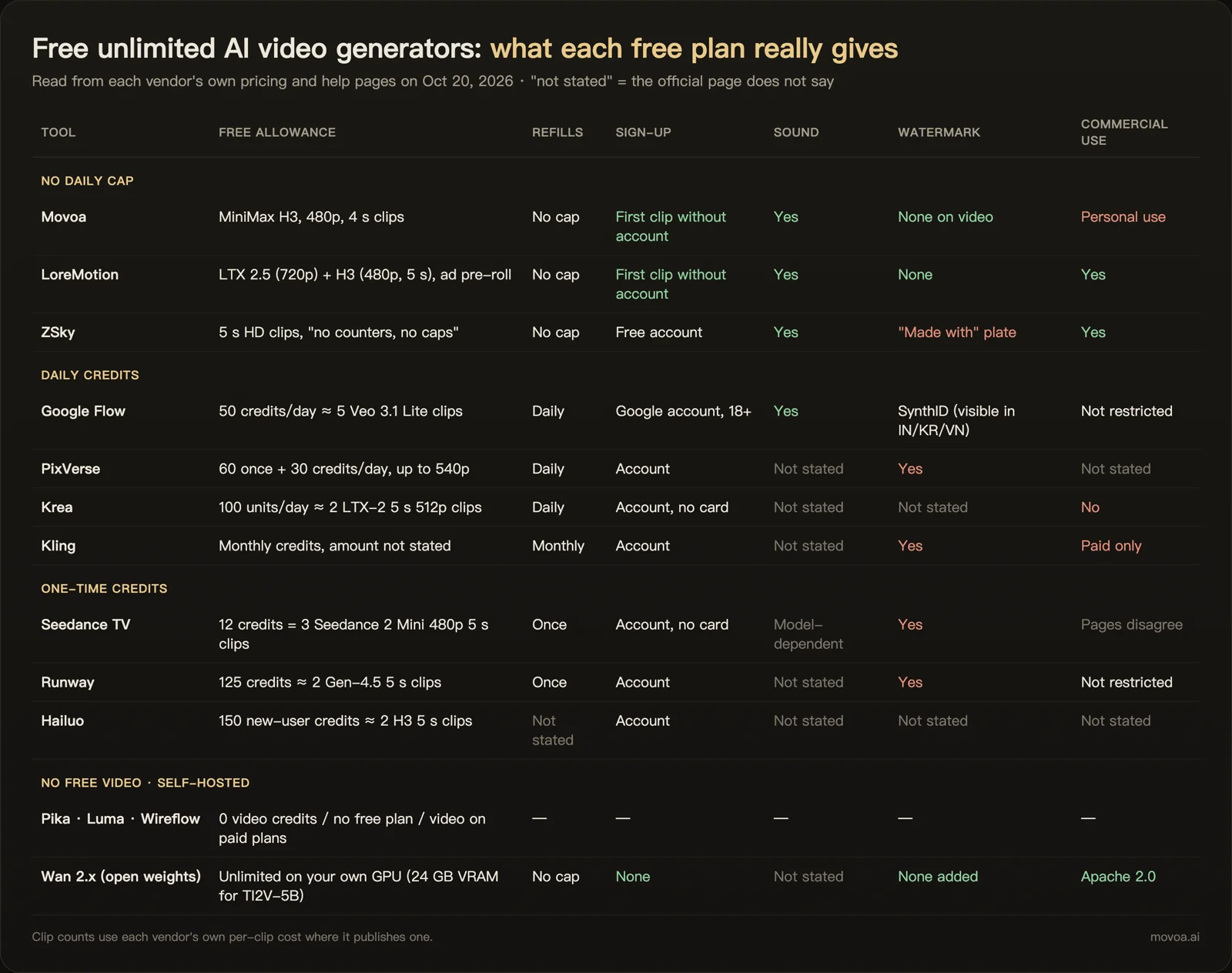
Free image to video AI generators compared (checked October 27, 2026)
Every cell below comes from the vendor's own pricing or help page, read on October 27, 2026. "Not stated" means that page does not say either way. Clip counts for a week assume you spend every free credit on the cheapest short image-to-video clip each tool offers.
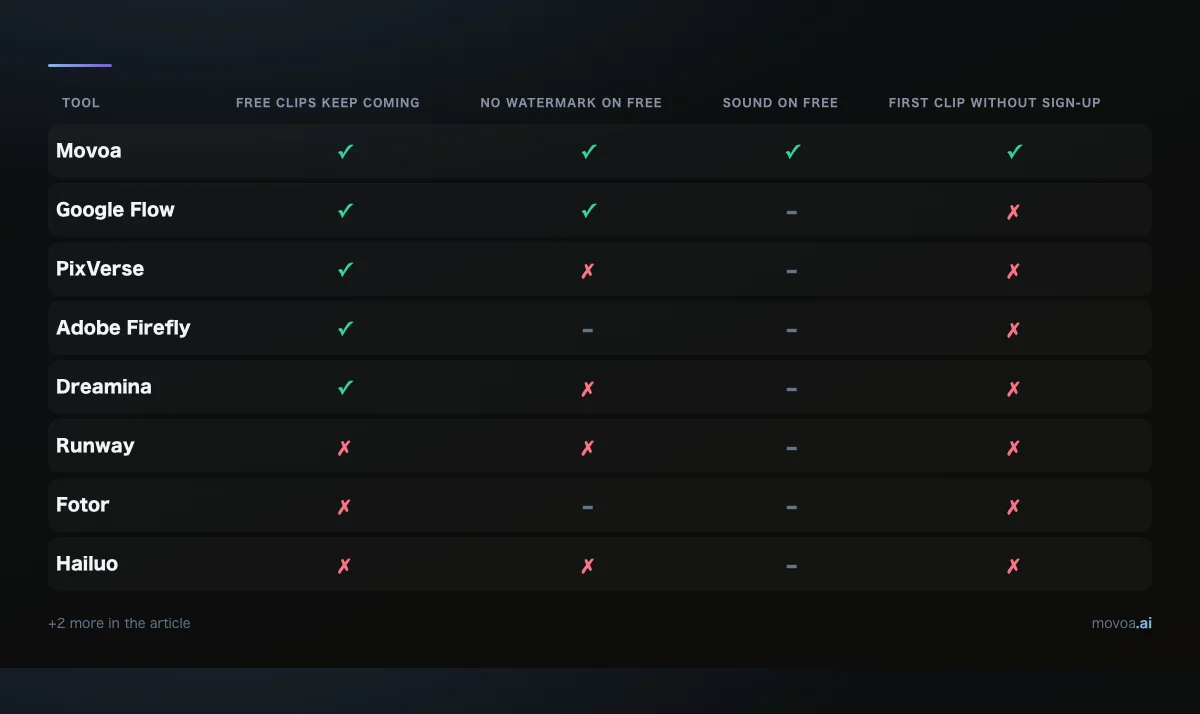
Green: the vendor's page says yes. Red: it says no. Grey: the page does not say.
| Tool | What free gives you | Refills | Clips for $0 in a week | Sign-up | Watermark on free | Sound on free | Commercial use on free |
|---|---|---|---|---|---|---|---|
| Movoa (movoa.ai) | MiniMax H3, 480p, 4 s clips | No daily cap | No cap | First clip without an account | None on video | Yes | Personal use |
| Google Flow (labs.google) | 50 credits a day | Daily, no rollover | About 28 | Google account | Invisible SynthID | Depends on model | Not stated |
| PixVerse (pixverse.ai) | 60 credits once, then 30 a day | Daily | About 8 | Account | Yes | Not stated | Not stated |
| Adobe Firefly (firefly.adobe.com) | Free daily generations, number not published | Daily | Not published | Adobe account | Not stated | Not stated | Not stated |
| Dreamina (dreamina.capcut.com) | 152 credits plus 3 Seedance 2.0 Mini uses | Daily check-in bonus | At least 3 | Account | Yes | Not stated | Not stated |
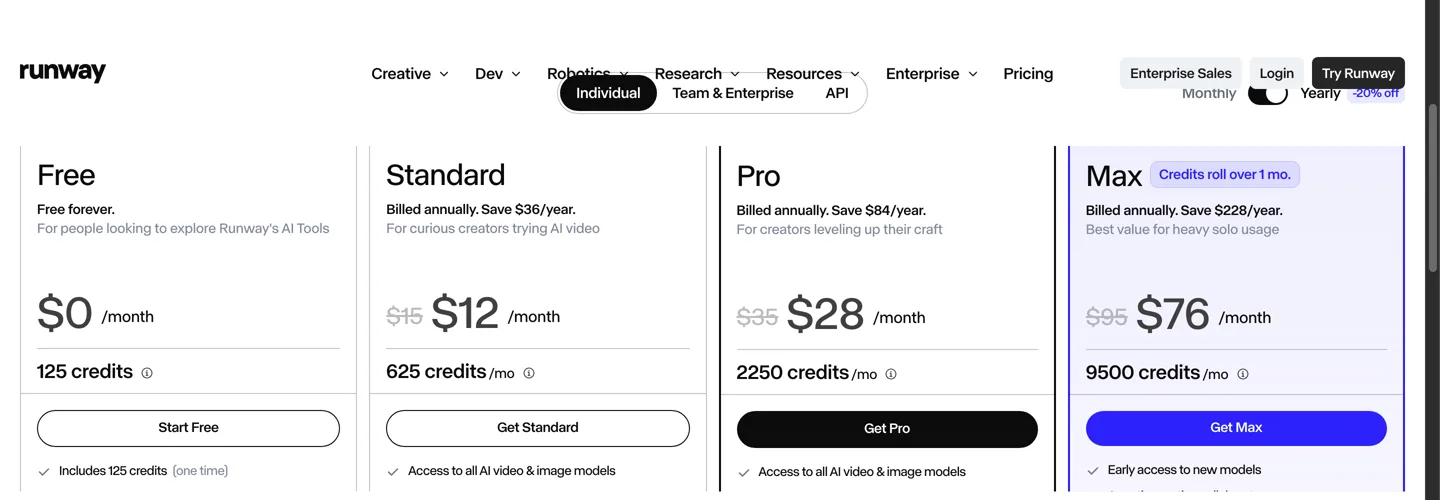
| Runway (runwayml.com) | 125 credits once | Once | About 4 | Account | Yes | Not stated | Not stated |
| Fotor (fotor.com) | 30 to 100 credits once | Once | 1 to 3 | Account | Not stated | Not stated | Not stated |
| Hailuo (hailuoai.video) | Welcome credits, 0 a month | Once | Welcome pack only | Account | Yes | Not stated | Not stated |
| Kling (klingai.com) | Trial package at sign-in | Once | Trial only | Account | Yes | Not stated | No |
| Krea (krea.ai) | 100 units a day, images only | Daily | 0 | Account | n/a | n/a | No |
| Wan (open weights, github.com/Wan-Video) | Runs on your own GPU | No cap | Bound by your GPU | None | None added | Not stated | Apache 2.0 |
Which free image to video AI gives the most clips without paying?
Google Flow gives the most clips from a big-lab model, about 4 a day, and Movoa is the only hosted tool in the table with no daily cap at all. Wan has no ceiling either, but it runs on your own graphics card. For text prompts and every model, not only photos, see our wider list of free AI video generators with no daily cap.
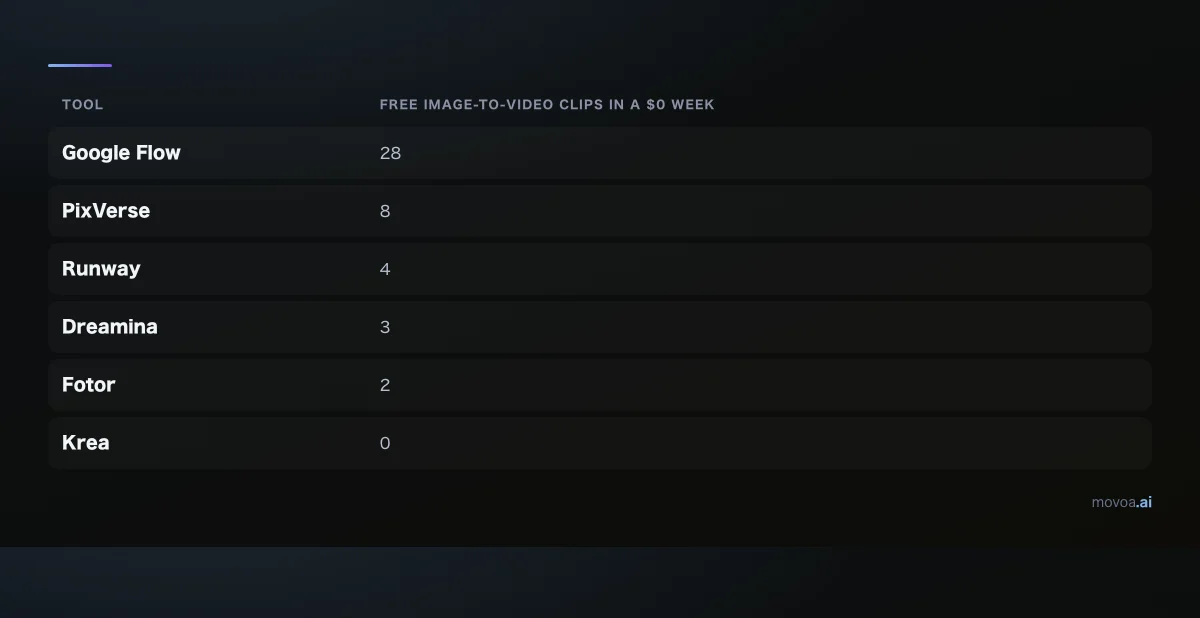
Movoa and Wan are left off the chart because neither has a weekly ceiling to draw.
Daily credits vs monthly credits vs a one-time trial
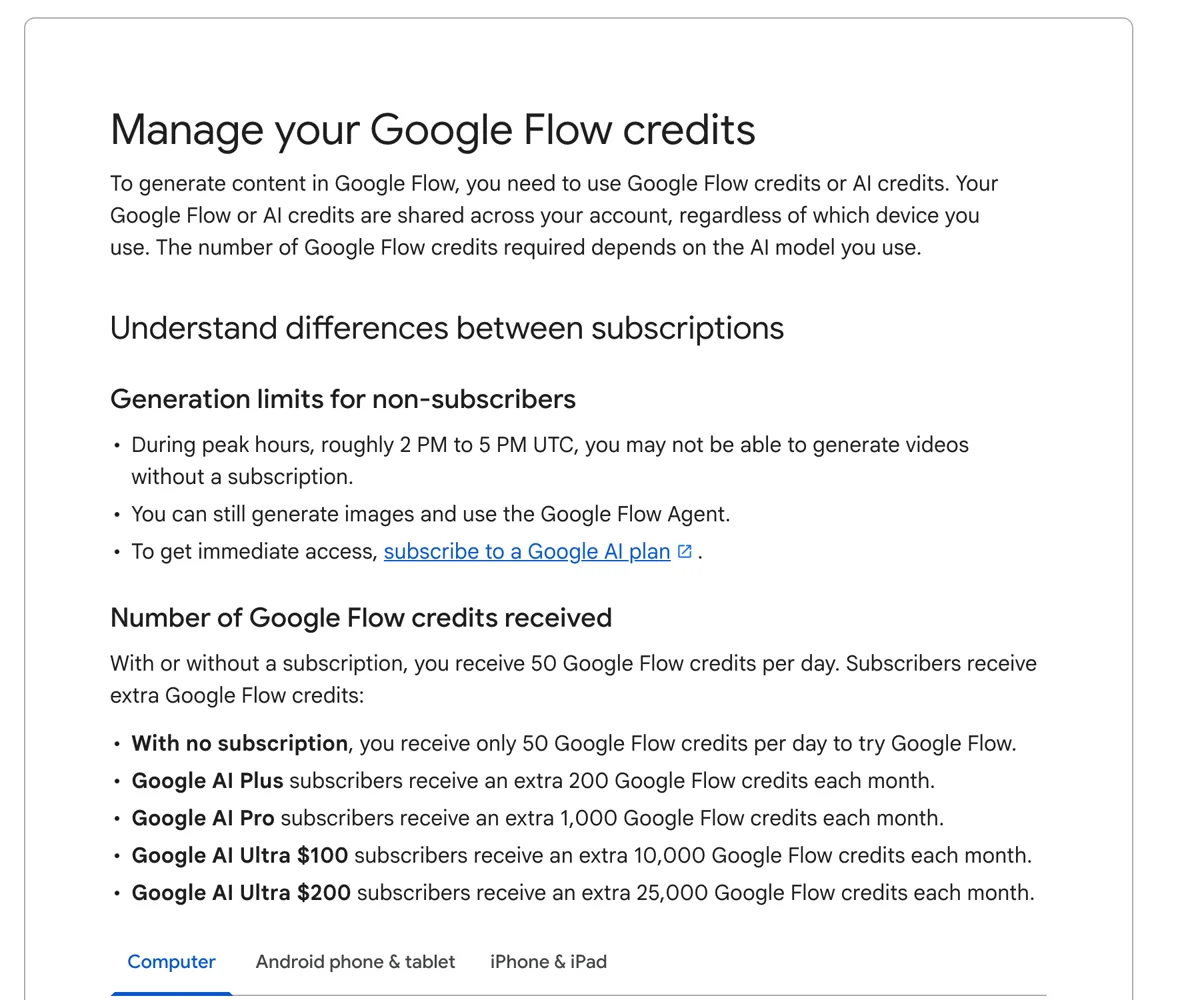
- Daily credits. Google Flow (50 a day), PixVerse (30 a day after a 60-credit welcome) and Adobe Firefly ("free daily generations", no number published) refill every day. Unused credits do not carry over. You do not claim them by hand on Flow: its help page says the next 50 arrive a day after your first generation. PixVerse resets its daily credits automatically, and Dreamina adds bonus credits through a daily check-in on top of its 152-credit welcome. Google's help page also says non-subscribers may not be able to make videos at all during peak hours, roughly 2 to 5 PM UTC.
- A welcome pack. Runway (125 credits, one time), Fotor (30 to 100 credits for new users), Hailuo (welcome credits and 0 a month) and Kling (a trial package at sign-in) let you test the paid model a few times. Kling's own plan page lists daily free credits as a benefit for subscribers, not for free accounts.
- Which model you get. Free Movoa runs MiniMax H3 only. Dreamina's free uses are Seedance 2.0 Mini; none of the tools here offers Seedance 2.5 for free. Flow spends its credits on Google's own video models.
- No free video. Krea's free plan gives 100 compute units a day for images; its pricing page says Seedance video models need a paid plan.
The no-daily-cap option
Movoa's free lane runs MiniMax H3, the same model family Hailuo sells, at 480p in 4-second clips with sound. A free account has no daily cap: the first clip of the day starts straight away, and later ones wait in a free line that gets longer the more you make that day, from a few minutes up to a couple of hours. Nothing runs out; what grows is the wait before each extra clip starts.
Free image to video AI with no watermark
Two options in the table export free video with no watermark at all: Movoa (more on watermark-free AI video), whose watermark applies to images only and never to video, and Wan on your own hardware, which adds nothing. Google Flow marks its videos with SynthID, an invisible watermark you will not see in the clip.
Everyone else that states a policy puts a mark on free downloads:
- PixVerse lists "watermark-free" as a paid-plan perk.
- Runway lists "no watermarks" from its Standard plan up.
- Hailuo's payment policy says free users download videos that include a watermark.
- Kling's own page says the free tier includes a watermark, and lists brand watermark removal on paid plans.
- Dreamina removes the watermark on its paid tiers.
Adobe Firefly and Fotor do not say either way on the pages we read, so check the download before you post it.
Free image to video AI with sound
Most free image-to-video tiers do not say whether your clip comes back with audio. Movoa's free clips always do: MiniMax H3 returns sound with every clip, including the free 480p ones, so a photo of a beach comes back with waves rather than silence. Google Flow's audio depends on which model your credits run. The other tools in the table, Wan included, do not state it for their free use.
Movoa's sound is generated from your prompt and the picture; none of the free tiers we read lists uploading your own voice recording to lip-sync a photo, so a talking photo in your own voice is a paid-tool job today.
Free image to video AI without signing up
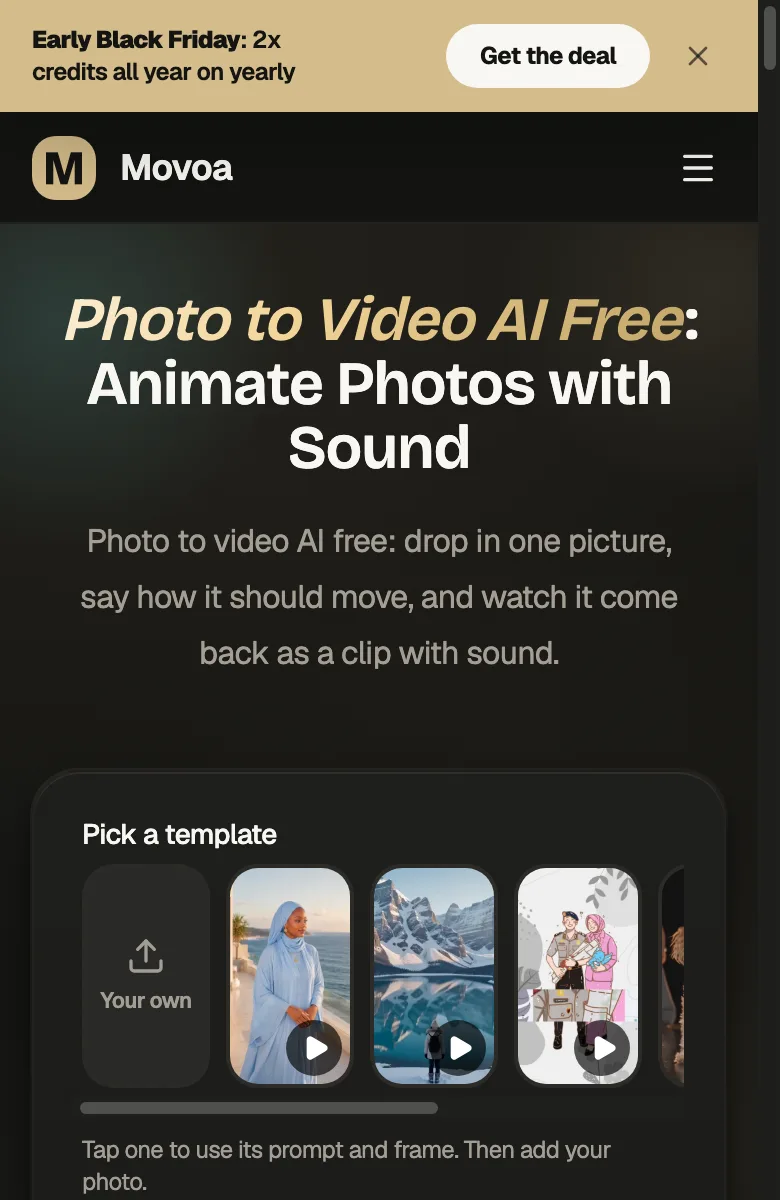
Among hosted tools, only Movoa lets a guest animate a photo with no account, once; after that, a free account keeps going with no daily cap. Wan needs no account for any clip because it runs on your own computer. Every other hosted tool here needs an account first: a Google account for Flow, which also limits video to supported countries and adults, an Adobe ID for Firefly, and an email or social login for the rest. For Wan you need a graphics card with roughly 8 GB of memory for the smaller model, according to the Wan project.
How to use free image to video AI on one photo
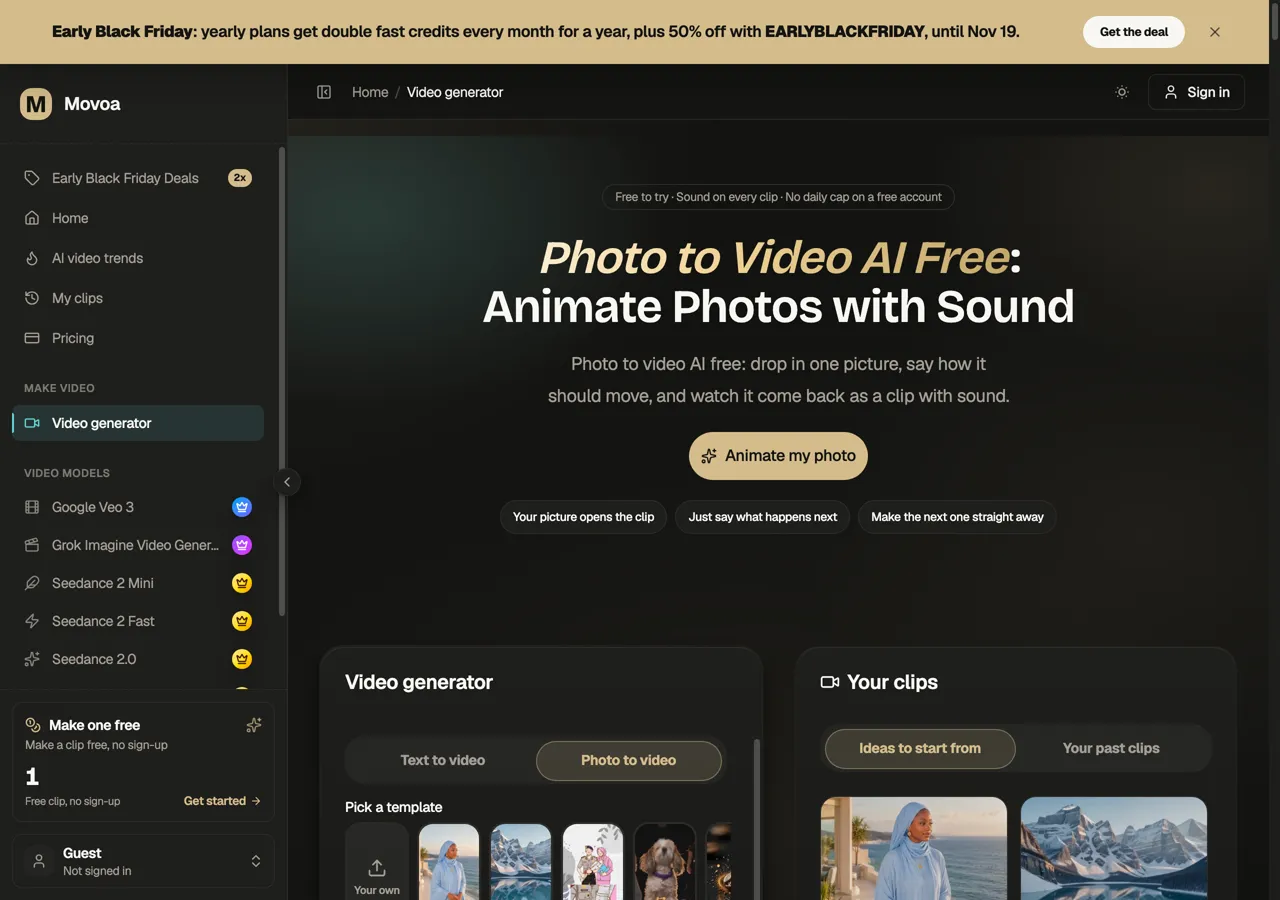
The steps are the same on any of these tools; here they are on Movoa's photo to video generator:
- Pick one clear photo. One subject, good light, the face or object large in the frame.
- Say what moves, not what the photo shows. "She turns toward the camera and smiles, hair moving in the wind" works better than describing the scene again.
- Keep the free settings. On free tiers that means a short clip at the default resolution: 4 seconds at 480p on Movoa, the shortest clip on credit-based tools so the allowance stretches further.
- Generate and wait. The first free clip of the day on Movoa starts right away; on credit tools, check the credit cost shown before you press the button.
- Download and check. Look for a watermark and listen for sound before you share it.
How long a free clip runs
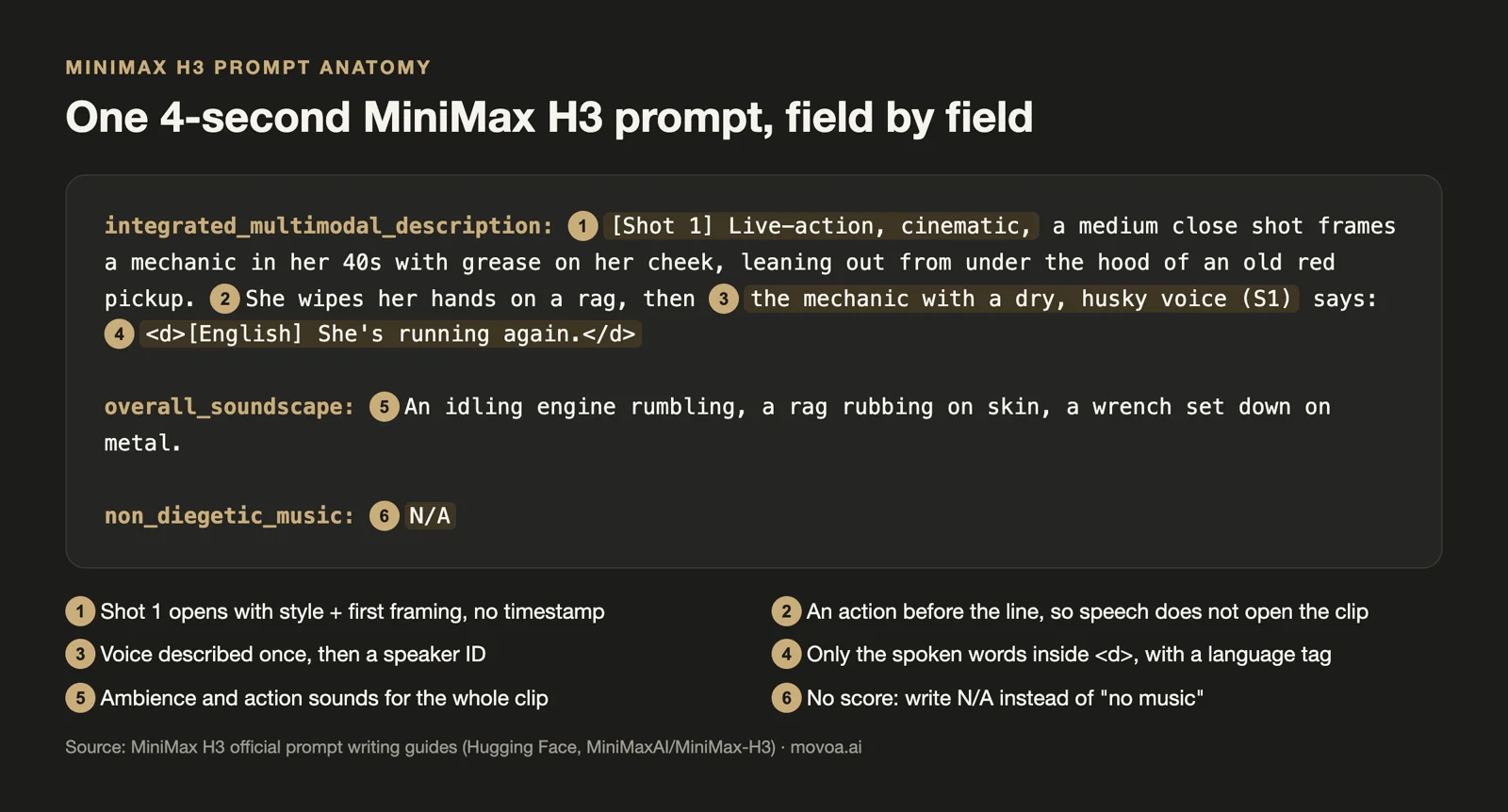
A free Movoa clip is 4 seconds, about one motion: a turn, a smile, a wave. On credit tools a longer clip costs more credits, so 125 Runway credits or 50 Flow credits buy fewer clips when you ask for 8 or 10 seconds. Our MiniMax H3 prompt guide has wording that works for motion and sound, and if you have no photo yet, text to video starts from a sentence instead.
What free image to video AI tiers leave out
| Limit | What the free tiers do (Oct 27, 2026) |
|---|---|
| Clip length | Short: 4 s on Movoa's free lane; credit tools charge more credits for longer clips |
| Resolution | 480p on Movoa's free lane; higher resolutions cost more credits elsewhere |
| Commercial use | Kling and Krea reserve it for paid plans; Movoa's free lane is for personal use; Wan is Apache 2.0 |
| Peak hours | Google Flow may block video for non-subscribers around 2 to 5 PM UTC |
| Counterexample | Pika's free plan lists 0 monthly credits, so it has no free image-to-video at all |
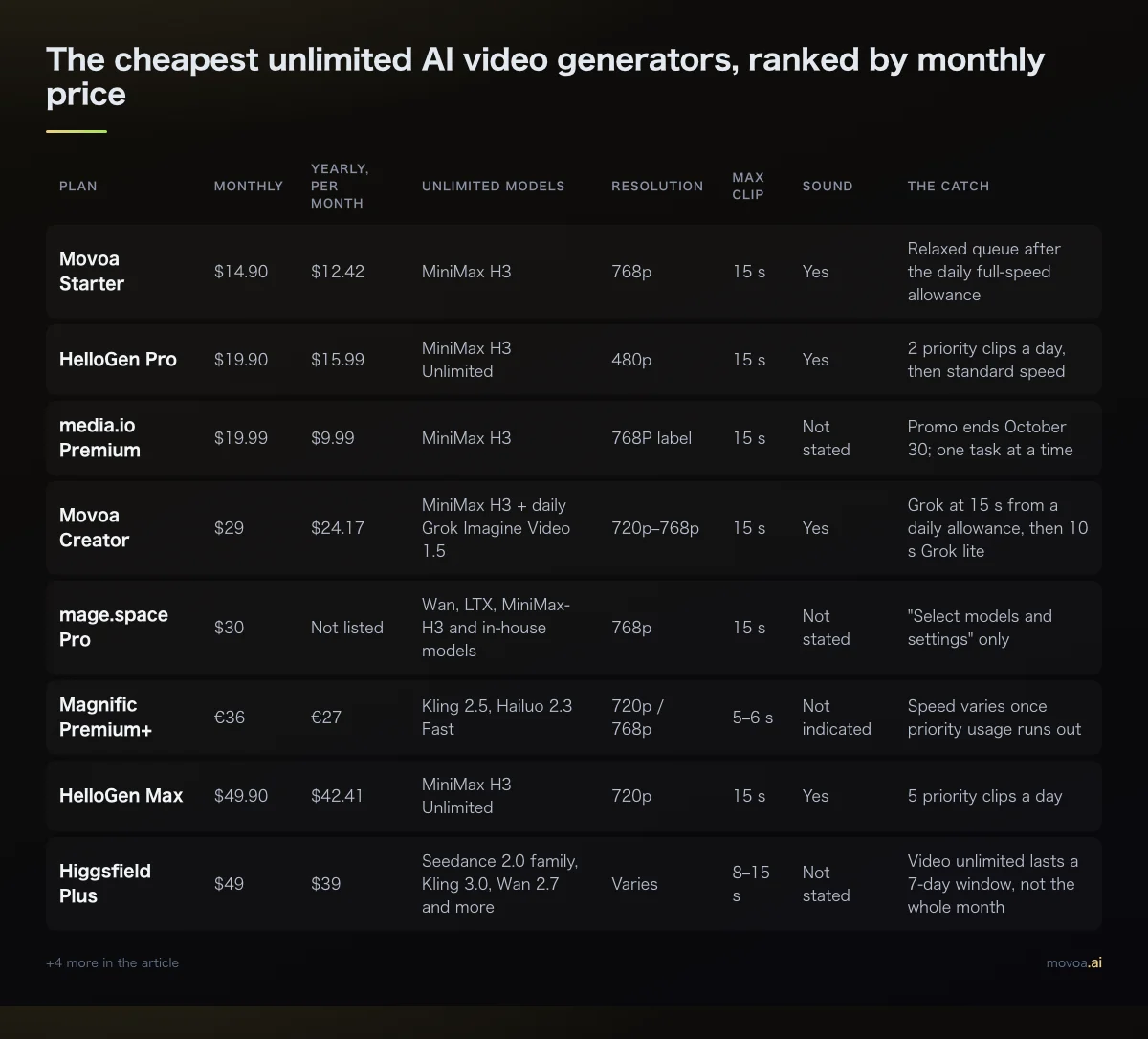
On Movoa, the plans add 768p, longer clips, full speed and more video models; our cheapest unlimited AI video generators list compares what the paid side costs.
Free image to video AI FAQ
What is the best free image to video AI?
For the most clips without paying, Movoa, because it has no daily cap and returns sound with every clip. For the strongest model on a free account, Google Flow, with 50 credits a day, about 4 short clips.
Is there a free image to video AI with no daily cap?
Among hosted tools in our October 27, 2026 check, only Movoa's free lane has no daily cap; clips wait longer the more you make in a day. Wan has no platform cap either, because it runs on your own GPU.
Which free AI photo to video tool has no watermark?
Movoa exports free video with no watermark, and Wan adds none when you run it yourself. Google Flow adds an invisible SynthID mark. PixVerse, Runway, Hailuo, Kling and Dreamina watermark free downloads.
How do I turn a photo into a video for free?
Upload the photo to a free image to video tool, write one line about what should move, keep the free length and resolution, and generate. On Movoa the first clip needs no account and comes back with sound; Google Flow and PixVerse need an account and spend daily credits.
How long can a free image to video clip be?
Movoa's free clips are 4 seconds. If you need 6 seconds or more for free, use a credit tool and spend more credits per clip: Google Flow, PixVerse and Runway all let you pick a longer clip, and the free balance then covers fewer of them.
Can I make an image to video clip on my phone for free?
Yes. Movoa runs in a phone browser on iPhone and Android, and Google Flow's help pages cover Android and iPhone as well as computers. PixVerse also links a mobile app from its site. Wan is the exception: it needs a desktop graphics card.
Do free AI video generators add sound?
Movoa's free clips always come with sound. Google Flow's audio depends on the model. The other free tiers in this list do not say whether audio is included.
Sources
All read on October 27, 2026. Primary pages are linked; vendor pricing pages are named with their domain so you can open them yourself:
- Google Flow help: Manage your Google Flow credits
- Hailuo payment policy
- Wan 2.2 open weights on GitHub
- PixVerse free plan terms: pixverse.ai, "best free AI video generator" page (Oct 23, 2026)
- Adobe Firefly plans: adobe.com/products/firefly/plans and helpx.adobe.com
- Dreamina pricing: dreamina.capcut.com
- Runway pricing: runwayml.com/pricing and help.runwayml.com
- Fotor image to video: fotor.com
- Kling membership plans: klingai.com
- Krea pricing: krea.ai/pricing
Want a second opinion? These free image to video lists answer the same question from other angles: techradar.com, aipresso.com, masonry.so, iabasico.com, blog.laozhang.ai, wireflow.ai and wavespeed.ai.
Ready to try it on your own photo? Animate a photo free on Movoa, with sound and no watermark on the video.