
Black Friday: 2x credits all year on yearly

Free to start · Sound in every clip · No daily cap on a free account · Nothing stamped on the video

Free Tribute Video Maker: Every Photo in the Tribute, Moving

The service is on Saturday and all you have is a box of photos. Upload one here, and the porch, the lake or the old dog in it really moves again, not a pan across a still, with the sound of that day.

The photo you chose, not a stock clipPick a moment, skip the promptThe whole album by tonight
Examples

Tribute video maker examples: five photos, five moments

Each clip below started from one real public-domain photo and was made with MiniMax H3, the model this tribute video maker runs. Each one is a template in the generator above: tap it, upload your own photo, and the movement and the sound are already written.

Pet memorial

The old dog, lifting his head to look at you again

What this tribute video maker does with your photos

This tribute video maker turns each photo in your tribute into a few seconds where it really moves, with its own sound, as an MP4 for the slideshow at a memorial service, a birthday dinner or a retirement party. Your first clip runs without an account, a free account has no daily cap, and a plan adds a sharper picture for the big screen, clips up to 15 seconds and the whole album made in one go.

Creative engine

One photo in, one moving moment out

A scan or a phone photo of the print and one line about what moves go in; a clip with sound comes out. Free clips are 4 seconds at 480p; on a plan, up to 15 seconds at 768p.

1 photo
Per clip
With sound
Every clip
No daily cap
On a free account

The best way to make the photos in a tribute move

Slideshow apps pan and zoom across a still. Here the water ripples, the candles flicker and the dog lifts his head, and the sound of it is made in the same run.

Each clip on its own, so any photo can move another way

Every photo is its own clip. Want the dog to look up instead of wag? Change a line and make that one again; the other forty stay exactly as they are.

Old photos of people work too

A wedding portrait or a grandparent's studio photo moves the same way; the animate old photos page has templates written for faces.

Box of photos to tribute

How to make a tribute video with the tribute video maker, photo by photo

The families who put a memorial video together in three days, and the funeral homes that make them every week, work in the same order: choose, move, assemble. The tribute video maker is the middle step.

Pick the photos that tell the life, in order
1
Step 1 · choose

Pick the photos that tell the life, in order

A four to seven minute memorial video is 50 to 60 photos. Choose 8 to 15 of them to move: the dog, the house, the lake, the workbench, the wedding, the last birthday. Photograph each print flat by a window, or use the original file.


Turn each chosen photo into a moving clip
2
Step 2 · move

Turn each chosen photo into a moving clip

Upload a photo, tap the template closest to it or write what moves, and press Generate. On a free account one clip follows the next. On a plan, put every photo in at once and close the tab.

Lay the clips into the slideshow with the music
3
Step 3 · assemble

Lay the clips into the slideshow with the music

Download the MP4s and drop them between the still photos in CapCut, Canva, iMovie or the slideshow the funeral home gave you, then add the songs. Each moving photo plays for its own few seconds and the next still follows.

For every tribute

One tribute video maker for memorial, birthday, retirement and pet tributes

The tribute video maker does not change with the occasion; the photos you choose and the sound under them do.

A memorial video for the service

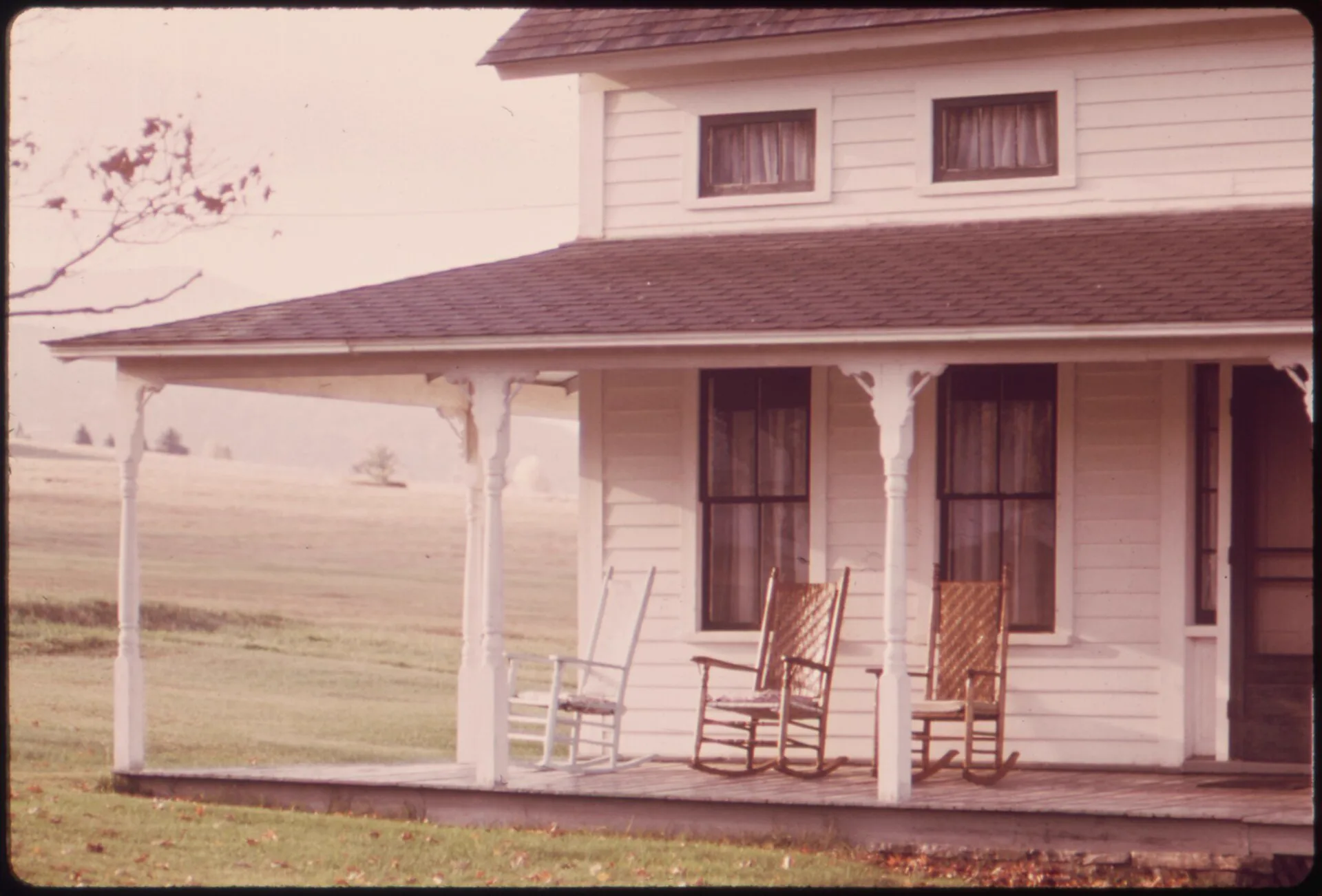
The funeral home asks for a video to play before the service. In the tribute video maker, move the photos of their places and their things, the porch, the garden, the car they kept for thirty years, and play them between the portraits. Keep the movement small and the sound quiet: wind, water, a clock.

A birthday tribute video for a big number

Eighty years in five minutes, shown at the dinner: the childhood house, the first car, the cake from every decade with its candles lit. The laughter in the sound fits the room.

A retirement tribute video from the team

The desk, the workshop, the truck, the first day's photo: forty years at one place, moving on the screen at the send-off. Making it for a client or a company event is covered by a plan's commercial licence.

A pet memorial video

The dog asleep in the sun, the cat in the window, the horse in the field: one more look at them moving. Pet photos are often the sharpest in the album, and they move beautifully. For a pet who is still with you, pet photo to video AI has livelier templates.

Free and paid

Is the tribute video maker free? What each lane gives you

On a signed-in account the tribute video maker moves every photo in a tribute for free. A plan is for the tribute that has to be finished by a date, shown on a big screen, or made for someone else.

No accountFree accountPaid plan
Clip length4 seconds4 secondsUp to 15 s on MiniMax H3
Resolution480p480p768p on MiniMax H3
Sound in the clipEvery clipEvery clipEvery clip
How many photosOne, everNo daily capNo monthly cap on MiniMax H3
Clips rendering at onceOneOne, then the nextUp to 5 side by side, 10 on yearly
Queue the whole album and close the tab——5 to 100 clips by plan, twice that yearly
Download every clip at once——
WatermarkNothing stampedNothing stampedNothing stamped
Tributes made for clientsPersonal usePersonal useCommercial licence included

Unlimited AI video generator pricing

Unlimited MiniMax H3 on every paid plan, plus fast credits each month for Veo 3.1, Seedance and Grok. A failed run is refunded.

Free · A real clip before you pay anything

Nothing to sign, nothing to cancel.

Make my first clip free
Unlimited H3

Starter

For people who make a few AI video clips most days.
Tax included
$14.90 / month
Unlimited MiniMax H3Veo, Seedance and Grok are counted, not unlimited: about 14 Veo 3.1 (8s) · 2 Seedance 2.0 Fast (10s) · 9 Grok (15s) a month.100 fast credits / month

1×

full-speed H3 a day

1

clip rendering at once

Queue up to 5 clips — they render while you're away

Heaviest days
Never blocked
MiniMax H3

What's included

  • Unlimited MiniMax H3 at 480p or 768p
  • About 14 Veo 3.1 Fast clips a month: 8s 720p with sound
  • 100 fast credits a month for Veo, Seedance and Grok
Popular

Creator

For creators posting every week.
Tax included
$29 / month
Unlimited MiniMax H3Veo, Seedance and Grok are counted, not unlimited: about 28 Veo 3.1 (8s) · 5 Seedance 2.0 Fast (10s) · 18 Grok (15s) a month.200 fast credits / month

2×

full-speed H3 a day, vs Starter

2

clips rendering at once

Queue up to 20 clips — they render while you're away

Heaviest days
Never blocked
MiniMax H3

Everything in Starter, plus

  • About 28 Veo 3.1 Fast clips a month: 8s 720p with sound
  • Twice Starter's full-speed H3 every day
  • Two clips rendering at once

Checkout runs on Stripe. Your card details never reach Movoa.

Pro

For weekly uploads that mix models.
Tax included
$59 / month
Unlimited MiniMax H3Veo, Seedance and Grok are counted, not unlimited: about 71 Veo 3.1 (8s) · 14 Seedance 2.0 Fast (10s) · 45 Grok (15s) a month.500 fast credits / month

5×

full-speed H3 a day, vs Starter

3

clips rendering at once

Queue up to 50 clips — they render while you're away

Heaviest days
Never blocked
MiniMax H3

Everything in Creator, plus

  • About 71 Veo 3.1 Fast clips a month: 8s 720p with sound
  • 5× Starter's full-speed H3 every day
  • Three clips rendering at once
Best value

Studio

For a channel that posts every day.
Tax included
$119 / month
Unlimited MiniMax H3Veo, Seedance and Grok are counted, not unlimited: about 142 Veo 3.1 (8s) · 29 Seedance 2.0 Fast (10s) · 90 Grok (15s) a month.1,000 fast credits / month

10×

full-speed H3 a day, vs Starter

5

clips rendering at once

Queue up to 100 clips — they render while you're away

Heaviest days
Never blocked
MiniMax H3

Everything in Pro, plus

  • About 142 Veo 3.1 Fast clips a month: 8s 720p with sound
  • 10× Starter's full-speed H3 every day
  • Five clips rendering at once

Cancel from Settings → Billing whenever you like; your plan keeps running until the end of the period you already paid for. Who runs Movoa, every model on the shelf and how to reach us are on the about page.

Answers

Tribute video maker: questions

Yes. Each photo becomes a 4-second 480p clip with sound on MiniMax H3 at no cost: the first with no account, then no daily cap on a free account, so every photo in the tribute can move for free. Plans, on the pricing page, add 768p, clips up to 15 seconds, the whole album queued at once and a commercial licence.

Choose the photos in the order of the life, make the 8 to 15 that matter most move here, then put the moving clips, the still photos and the music together in a slideshow app such as CapCut, Canva or iMovie. Most memorial videos run four to seven minutes and use 50 to 60 photos.

No. This tribute video maker makes the moving clips, one per photo, each with its own sound; you put them in order with the still photos and your songs in the slideshow app you prefer, or hand the MP4s to the funeral home with the rest of the photos. That keeps your music, your order and your titles exactly as you want them.

For the slideshow itself, CapCut, Canva and your phone's photo app are free. For the photos inside it, this memorial video maker is the best free option: the photos really move, every clip has sound, nothing is stamped on it and a free account has no daily cap.

Making the photos in it move costs nothing on a free account. A plan, listed on the pricing page, adds 768p, longer clips and one queue for the whole album. Families asking on Reddit were quoted about $20 a finished minute by freelance editors, and one funeral home charged $134 for the slideshow; the moving photos are the part those quotes leave out.

Start from their photos. A portrait can blink and smile on the animate old photos page; the places and things they loved, their garden, their car, their dog, move here. Keep the movement small and true to them, and share it with the people who knew them.

Five to seven seconds a photo is a calm pace, so a five-minute memorial video holds about 50, which is what funeral homes usually ask for. Moving clips run 4 seconds free or up to 15 on a plan, so 8 to 15 of them spread through the video is plenty.

Yes. Every clip downloads as an MP4, the file funeral homes ask for on a USB stick, and it drops into their own tribute software, PowerPoint, Google Slides or iMovie like any other video. Check the finished slideshow on a TV at home before the day.

Sharp ones with something that can move: water, candles, curtains, grass, a pet. Photograph prints flat in daylight with no glare, and crop off album borders, because they can start to move too.

Yes. Pet photos move very well in the tribute video maker: an old dog lifting his head, a cat blinking in the window. Use the old dog template above, or write what you remember them doing.

On a free account the tribute video maker renders one clip at a time, and you can leave the tab: each finished clip waits in My clips. On a plan, every photo goes into the queue at once and renders side by side, so you can close the tab tonight and download the whole set in the morning.

Yes, on a plan. Free clips from the tribute video maker are for personal tributes; every paid plan includes a commercial licence, so tributes made for clients are covered, and 768p looks clean on the screen in the chapel.

Make the photos in the tribute move, free

Find the photo of the place they loved, upload it to the tribute video maker, and watch the light move on it again, with nothing stamped across it. Start free without signing up, then sign in for the rest of the album with no daily cap.