
Faces large in the frame
A head-and-shoulders portrait moves best. In a wide group shot each face is a few pixels, and the model has to guess.
Free to try · Sound in every clip · No daily cap on a free account
Animate old photos of the people you miss: upload a scan or a phone shot of the print, pick how they move, and watch them blink, smile and look up at you.
Each clip below started from a real public-domain photo taken between the 1890s and 1925, animated with MiniMax H3, the model this page runs. Each one is a template in the generator above: pick it, upload your own old photo, and the prompt is already written.
A 1900s studio portrait of an elderly couple. They blink, breathe and settle in their seats while the camera eases back to show the whole of them, still in black and white. The template for anniversary and wedding portraits.
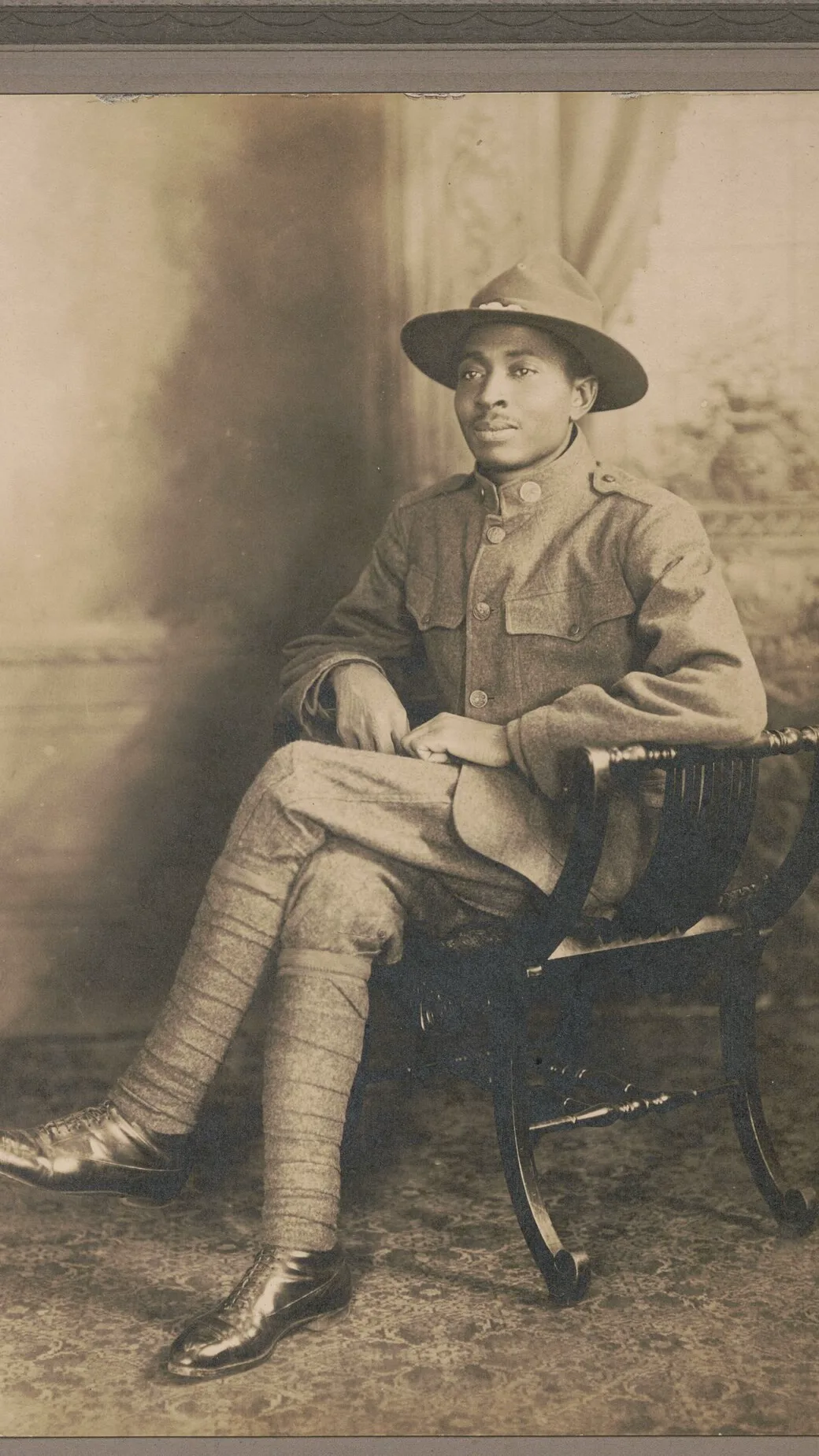
Use the couple templateAn unidentified soldier in a campaign hat, photographed at a New York studio in 1917. The camera moves in from the whole studio card to his face, and he lifts his chin and breaks into a wide smile.
Use the soldier templateA man with a grand moustache on a faded 1890s cabinet card. The sepia deepens, he turns from his three-quarter pose to look straight at you, and the moustache lifts into a smile.
Use the cabinet card templateA young woman in a cloche hat on a 1925 glass-plate negative. She blinks, tilts her head and laughs at the camera, her skin warming into colour as she comes to life.
Use the close-up templateTo animate old photos is to turn one still family picture into a few seconds where the people in it blink, breathe, smile and turn their heads, the effect MyHeritage made famous with Deep Nostalgia. Here the photo is the first frame and one sentence decides the movement, with sound underneath. It is the same engine as photo to video AI free, with the old-photo templates already written.
Creative engine
A scan or a phone photo of the print and a line about how they move go in; an MP4 with sound comes out.
It does not repair scratches first. It moves the photo you give it, so a cleaner scan gives a cleaner clip.
Nobody's face is pasted onto stock footage. The people moving are the people in your photo, in the clothes they wore that day.
Not a slow pan across a still with music on top: the faces actually move, and the sound is made in the same run.
Left is the 1917 studio card exactly as it was scanned; right is the clip that starts from it. The first frame of the clip is the photo on the left, so the face you start with is the face that smiles.
From the print in the album to a clip you can send to the family, free.
Lay it flat by a window, hold the phone straight above it and fill the frame. No glare across the faces, no fingers at the edge.
Tap the couple, the soldier or the close-up, or write one small movement: she looks up and smiles, he nods, they lean together.
Press Generate. The clip opens on your photo and comes back with sound. Change one line and run it again until it feels like them.
Download the MP4 and post it to the family chat, a memorial page or the slideshow for the reunion.
When you animate old photos, the scan decides more than the prompt does. These habits keep the faces looking like the people you remember.
A head-and-shoulders portrait moves best. In a wide group shot each face is a few pixels, and the model has to guess.
Scan at a high resolution or shoot the print in daylight. Blur in the photo turns into wobble in the clip.
Studio borders, album corners and handwritten numbers can start to move too. Crop to the picture itself.
Write black and white or sepia into the prompt to keep the old look, or ask for natural colour and watch them warm up as they move.
Mostly someone holding the only photo of a person they never got to meet, or one they miss. For them the clip is a few seconds with that person, not a special effect.
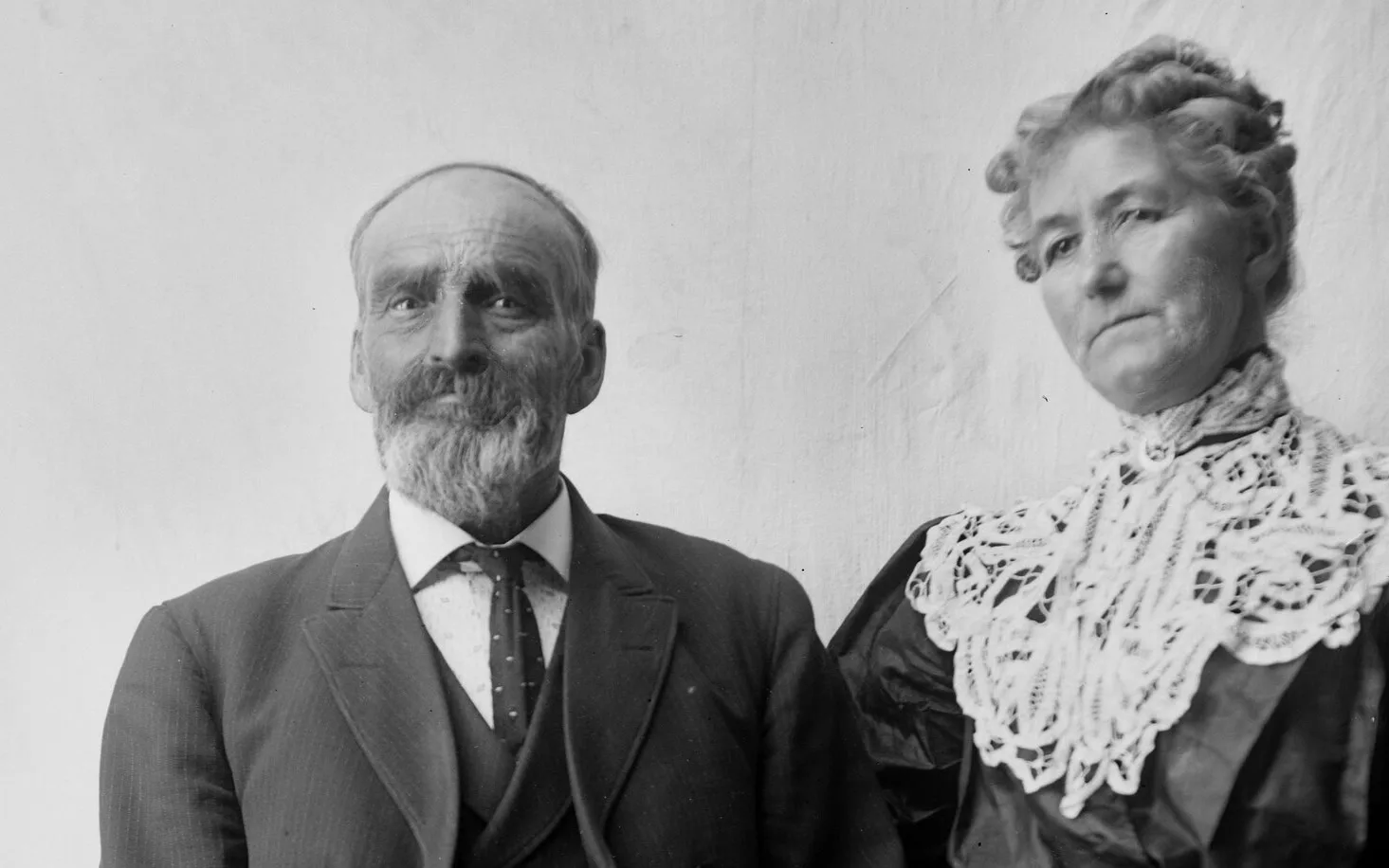
Great-grandparents in their Sunday best, breathing again, shown at the family dinner.
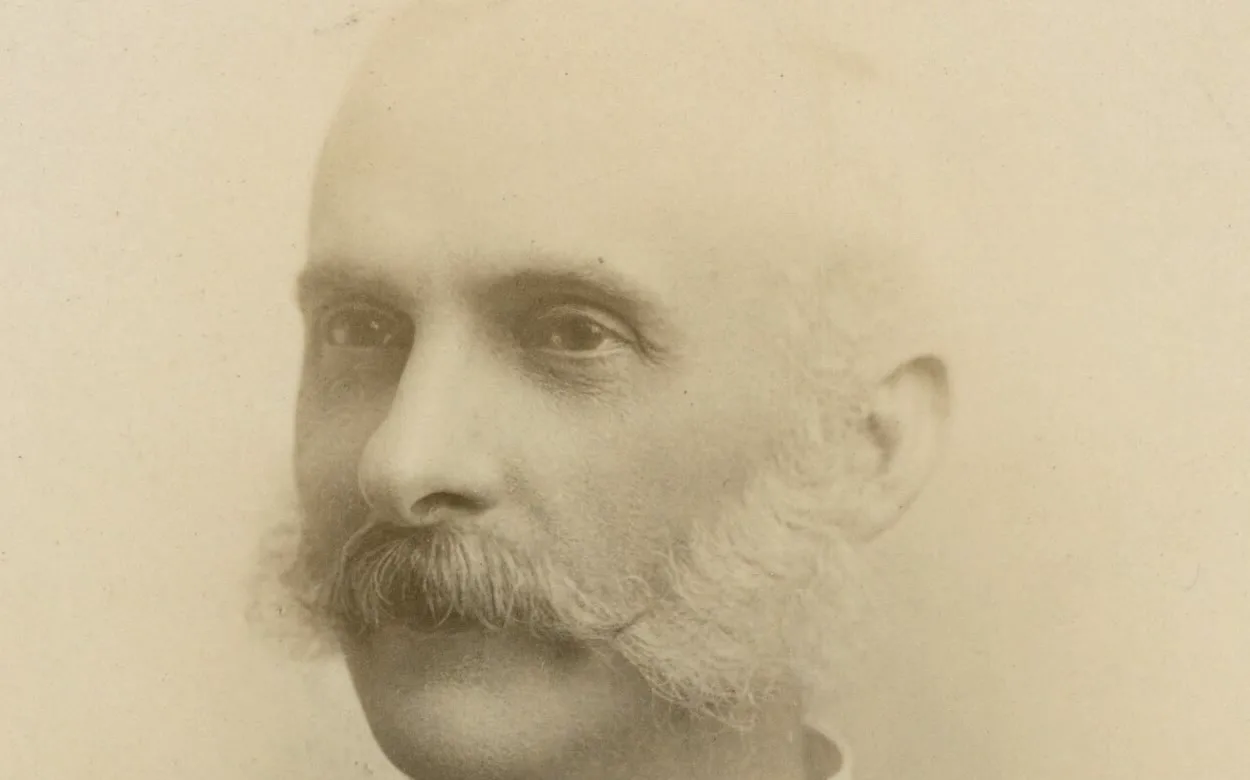
A cabinet card from the family tree, moving for the first time, shared with the cousins in the genealogy group.
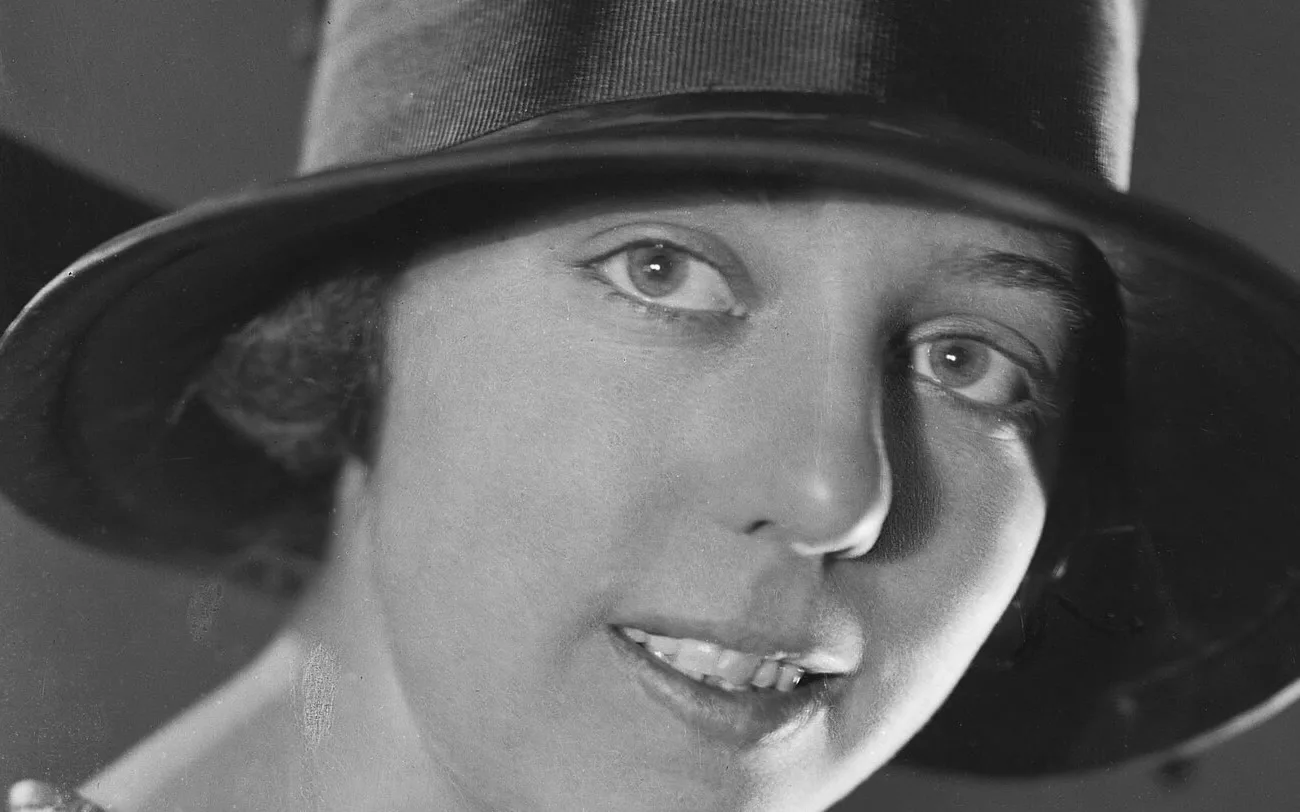
The aunt everyone says she takes after, laughing at the camera, sent to the sister who kept the box of plates.
Unlimited MiniMax H3 on every paid plan, plus fast credits each month for Veo 3.1, Seedance and Grok. A failed run is refunded.
Free · A real clip before you pay anything
Nothing to sign, nothing to cancel.
1×
full-speed H3 a day, vs Starter
1
clips rendering at once
What's included
2×
full-speed H3 a day, vs Starter
2
clips rendering at once
Everything in Starter, plus
Checkout runs on Stripe. Your card details never reach Movoa.
5×
full-speed H3 a day, vs Starter
3
clips rendering at once
Everything in Creator, plus
10×
full-speed H3 a day, vs Starter
5
clips rendering at once
Everything in Pro, plus
Cancel from Settings → Billing whenever you like; your plan keeps running until the end of the period you already paid for. Who runs Movoa, every model on the shelf and how to reach us are on the about page.
Yes. Old photos animate on MiniMax H3 at no cost: a 4-second 480p clip with sound, your first one with no account and then no daily cap on a free account. Plans, listed on the pricing page, add 768p, clips up to 15 seconds and commercial use.
To animate old photos for free, photograph or scan the print, upload it above, pick a template or write one small movement such as a smile or a glance, and press Generate. The free clip comes back with sound.
Yes. Image-to-video models like MiniMax H3 take your photo as the first frame and generate the seconds after it, so the people in an old photo blink, breathe and turn their heads.
You do not need an app. This page runs in the phone browser: upload from your camera roll and the clip downloads straight back to it. MyHeritage's Deep Nostalgia is the best-known name for the effect; here you choose the movement yourself and every clip has sound.
Yes. To animate old photos in black and white, write black and white or sepia into the prompt to keep that look while the faces move, or ask for natural colour if you would like to see them in colour.
The clip opens exactly on your photo, so the first frame is them. Small movements keep the likeness closest; a big turn or a walk out of frame asks the model to imagine more of the face.
The people can move their lips and react, and every clip has sound, but this page is written for faces that move rather than speak. A line in quotes in the prompt asks for spoken words; for clips built around a voice, see AI video with audio.
Yes, as long as the faces are large enough to read. Two people work well; for a whole wedding party in one wide shot, crop to the people you care about most so their faces fill more of the frame.
It does not repair scratches. It moves the photo you upload, so restore a damaged print first and upload the cleaned copy; colour is yours to ask for in the prompt.
Free clips are 4 seconds, enough for a blink, a smile and a glance. On a plan, MiniMax H3 runs from 4 to 15 seconds at 768p; the examples on this page are 12 seconds.
That is for the family to decide, and many people find it moving rather than strange. Keep the movement small and true to the person, and share it with the people who knew them.
Find the photo you have looked at most, take a straight, sharp copy of it, and watch them look back. Your first clip needs no account.
Free · 480p · with sound