
Birthdays
A birthday wish from the photo
Their picture says happy birthday and the name of the person it is for. A free talking photo fits a short wish; a plan fits a whole toast.
Free in your browser, no app · The voice comes with the clip · No daily cap on a free account
Talking photo AI for a birthday wish, a thank-you or a hello: type the words in quotes, and the person in your photo looks up and says them, mouth moving on every word.
Three talking photo AI clips, each a template in the generator above. Tap one, upload your own photo, and its words and voice are already written in.
Talking photo AI keeps your picture as the opening frame and writes the seconds after it: the person in it looks at the lens and speaks the words in your quotes, mouth moving with each one. Voice, lips and room sound come from one run on MiniMax H3, the same engine as photo to video AI. A free talking photo runs 4 seconds; a plan takes it to 15.
Creative engine
A photo of a face and the words in quotes go in; an MP4 of them saying it comes out.
There is no presenter to pick and no script editor. The person talking is the one in your photo, wearing what they wore.
You do not record or upload audio. You describe the voice in a few words, warm, deep, cheerful, and it is made with the picture, so nothing gets dubbed on afterwards.
The whole face moves: eyes, brows, a smile between sentences, a nod on the last word. The talking photo reads as a person, not a cut-out.
The words shape a talking photo AI clip more than anything else. Each tip comes from our own runs, where we checked every spoken word against the mouth, frame by frame.
Anything inside quotation marks is read as speech. Anything outside is direction: where they look, how they move, what the room sounds like.
Write that the person in the photo says it, and add that only they speak. With nobody named, a second voice can drift in.
In our runs people spoke about two words a second. A free 4-second talking photo holds one short sentence; a 12-second clip holds about twenty-five words.
Two short lines in a 12-second clip left a gap, and the gap filled with mumbling. Write enough words for the length, or pick a shorter clip.
Put a complete sentence first. On a free 4-second run that first sentence is what you hear, so it should make sense on its own.
Warm, deep, cheerful or soft: one or two words before the quote shape how the line sounds. Each of our test voices matched the person in the photo.
Left is the photo the clip started from; right is the talking photo AI result, the same man saying his line.
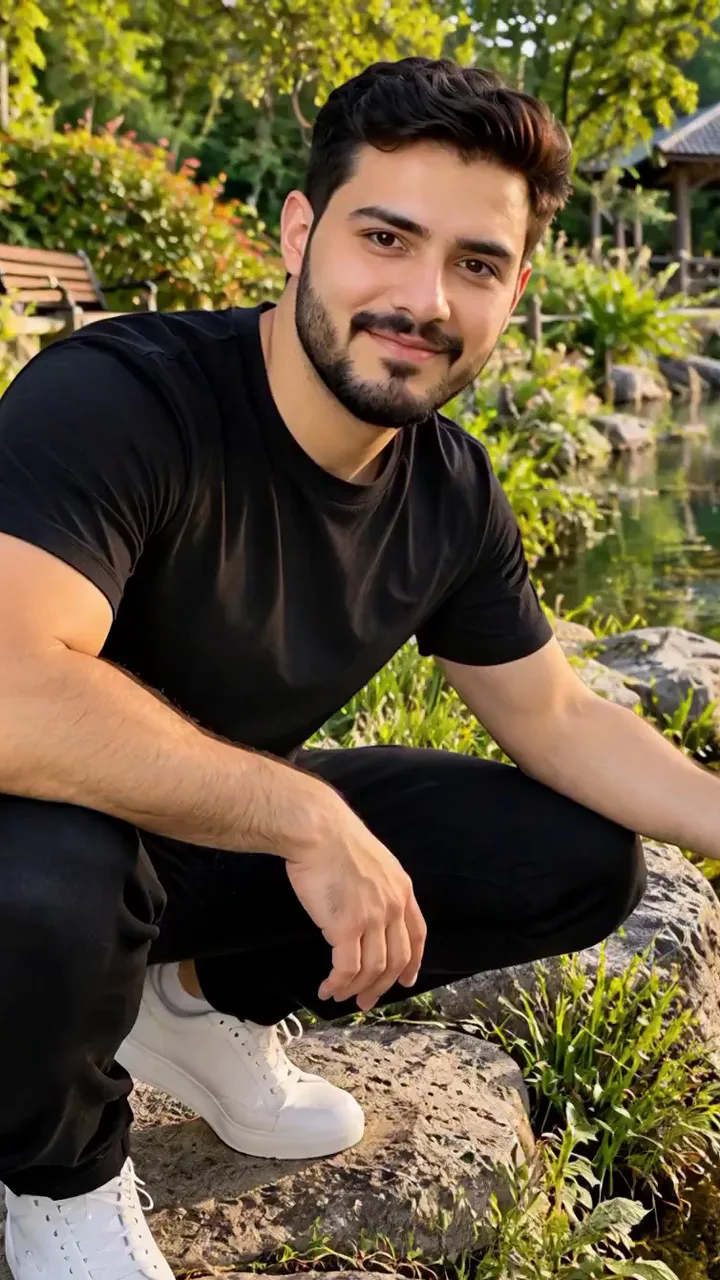
From a photo on your phone to a talking photo AI clip you can send, free.
One person, looking roughly at the camera, face large in the frame. A selfie or a head-and-shoulders shot works best.
Tap a template, or write the speaker, the voice and the words: the person in the photo smiles and says, in a warm voice, "…".
Press Generate. The talking photo comes back with the voice on it. Change a word and run it again until it sounds like them.
Save the MP4 to your phone and send it to the group chat, or post it to Reels, TikTok or Stories.
A talking photo is a short message with a face on it. These are the messages it carries best, each one a line or two long.
Their picture says happy birthday and the name of the person it is for. A free talking photo fits a short wish; a plan fits a whole toast.
A creator thanking fans, a shop owner thanking customers, a coach thanking the team, said by the person in the photo instead of typed under it.
A morning greeting or a goodnight from the photo on your lock screen, to a family that likes a face more than a sticker.
Hey everyone, look at this: a talking photo opens a travel or food post before the real footage starts.
The host's photo says the party, the place and the time, so the invite gets watched and not just scrolled past.
A friend's photo delivers the inside joke. Keep the punchline as the last words so it lands on the final frame.
Talking photo AI has to move a mouth that was still in the picture. These habits give it the clearest face to work with.
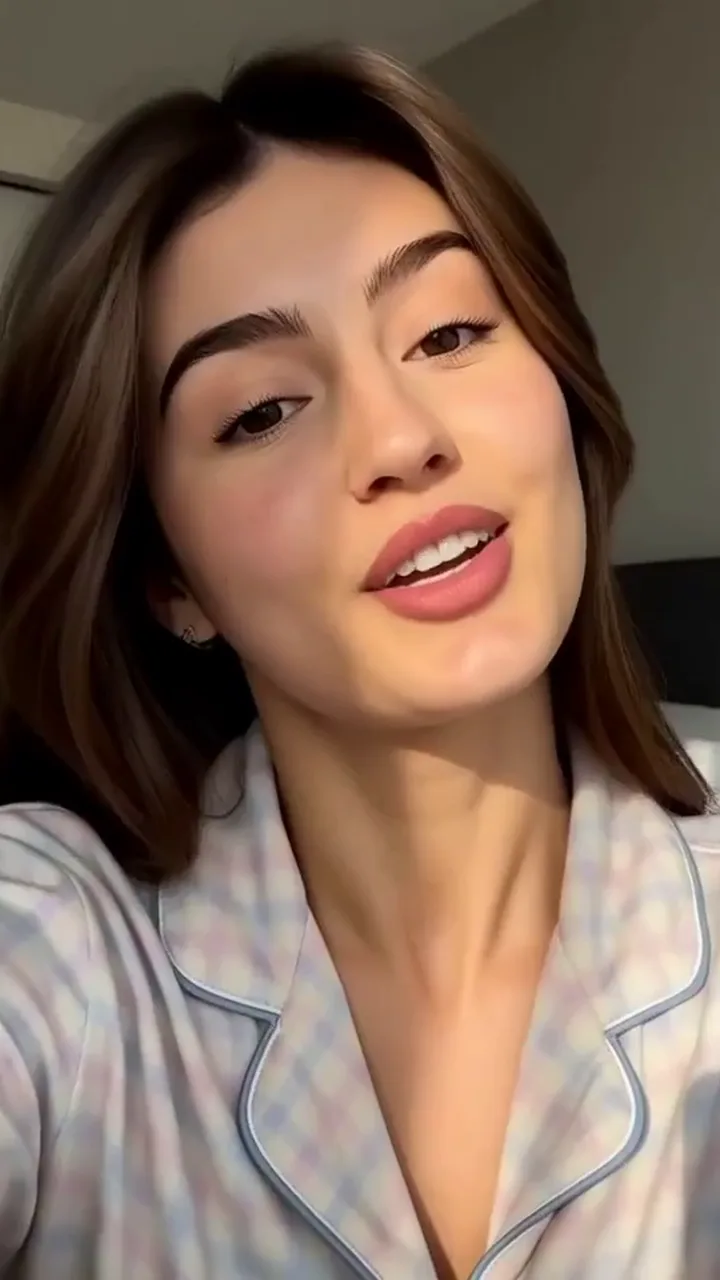
A selfie or a head-and-shoulders photo, like this one from bed, gives the mouth the most room to move on every word.
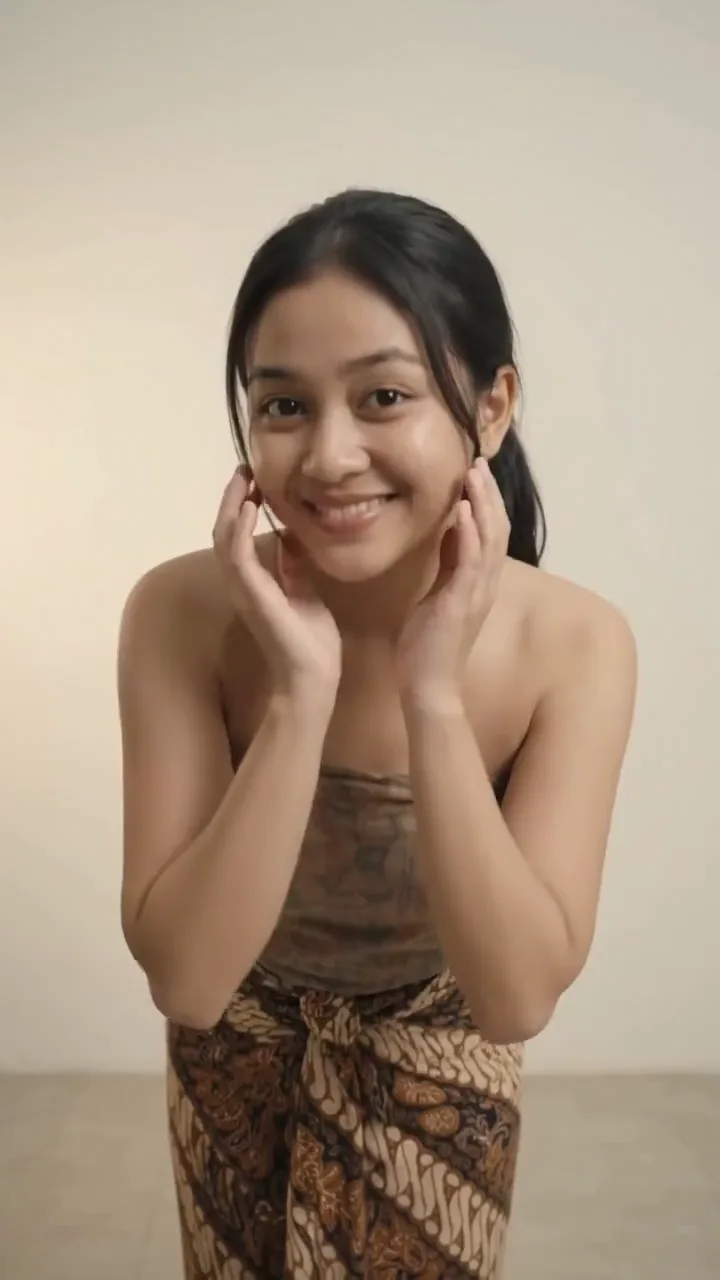
A face turned toward the lens, like this one, can talk straight to it. A profile has to turn first, which eats into a short clip.
Hands, a mug or a scarf over the mouth get in the way of the words. Keep the lips clear in the photo you pick.
One face, one voice. With two people in the picture, say which one talks and that the other stays quiet.
Unlimited MiniMax H3 on every paid plan, plus fast credits each month for Veo 3.1, Seedance and Grok. A failed run is refunded.
Free · A real clip before you pay anything
Nothing to sign, nothing to cancel.
1×
full-speed H3 a day, vs Starter
1
clips rendering at once
What's included
2×
full-speed H3 a day, vs Starter
2
clips rendering at once
Everything in Starter, plus
Checkout runs on Stripe. Your card details never reach Movoa.
5×
full-speed H3 a day, vs Starter
3
clips rendering at once
Everything in Creator, plus
10×
full-speed H3 a day, vs Starter
5
clips rendering at once
Everything in Pro, plus
Cancel from Settings → Billing whenever you like; your plan keeps running until the end of the period you already paid for. Who runs Movoa, every model on the shelf and how to reach us are on the about page.
Yes. A talking photo runs on MiniMax H3 at no cost: a 4-second 480p clip with the voice on it, your first one with no account and then no daily cap on a free account. Plans, listed on the pricing page, add 768p, clips up to 15 seconds and commercial use.
Your first talking photo AI clip needs no account: upload the photo, type the words in quotes and press Generate in the browser. After that, a free account keeps going with no daily cap.
You do not need an app. This page runs in a phone browser: pick the photo from your camera roll, and the talking photo downloads straight back to it.
Write them inside quotation marks and say who speaks: the person in the photo smiles and says, "…". Everything in the quotes is spoken; everything outside steers the face, the camera and the sound.
Not on this page. The voice is made in the same run as the picture, from the words and the voice you describe, so there is no recording to upload and nothing to sync by hand.
In our runs people spoke about two words a second. A free 4-second talking photo fits one short sentence; a 12-second clip on a plan fits about twenty-five words. Write enough for the length you pick, or the gaps fill with mumbling.
In our test runs it did: men spoke in a low voice, women in a higher one, and a word or two such as warm or cheerful set the tone. Name the voice you want before the quote to steer it.
A clear face is what matters, so a sharp scan of an old portrait can talk too. For old family photos that blink and smile rather than speak, start from photo to video AI and describe the moment.
Start with one. Talking photo AI works cleanest on a single face; with two in frame, say which one speaks and that the other only listens. For a written scene where two characters trade lines, the AI video generator with audio page is set up for dialogue.
Use photos of yourself, or of people who have said yes. A talking photo puts words in a real face, so keep it to messages they would be happy to have said, and never make a public figure say something they did not.
Commercial use comes with a paid plan. A free talking photo is for messages to friends, family and your own feed.
Pick the photo, write one sentence they would say, and hear it in a voice that fits them. Your first talking photo AI clip needs no account.
Free · 480p · with sound