
One photo of a face · 12-second vertical clip · squelch, wobble and a laugh in the audio
Squishy AI Trend: Squeeze Your Face Like a Stress Toy
Squishy AI trend from one photo, in your browser, no CapCut template: two hands squeeze your face like a stress toy and it wobbles back, ready for the group chat.
The squishy trend is all over TikTok this month. Post yours while everyone is still squeezing.
Squishy AI trend examples, one photo each
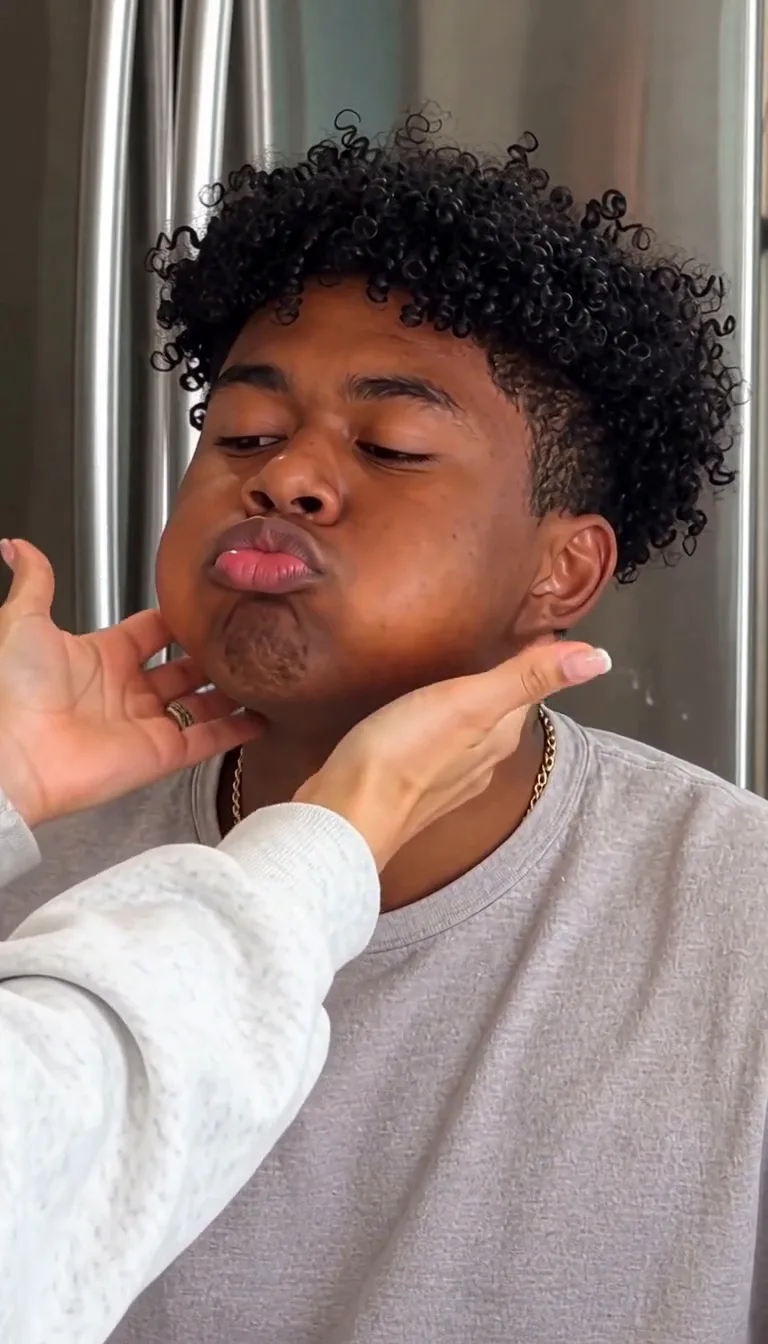
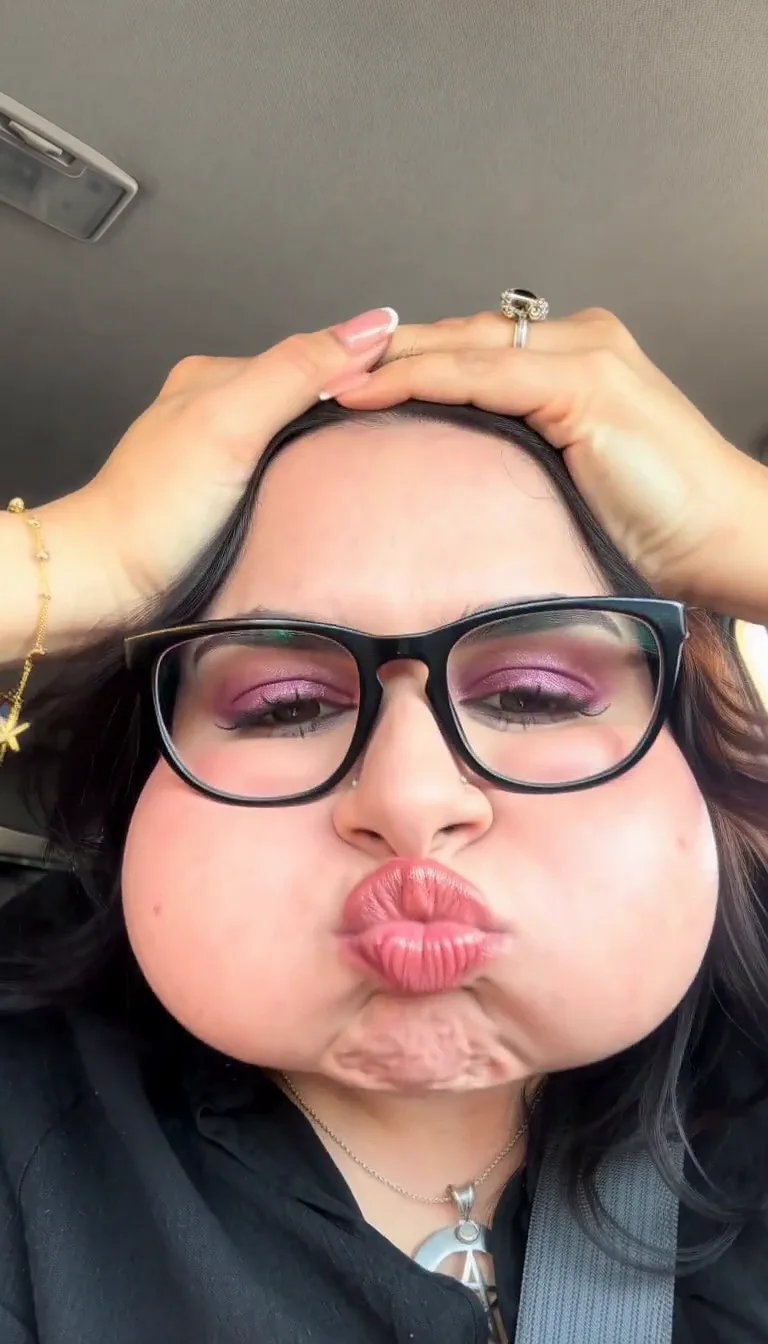
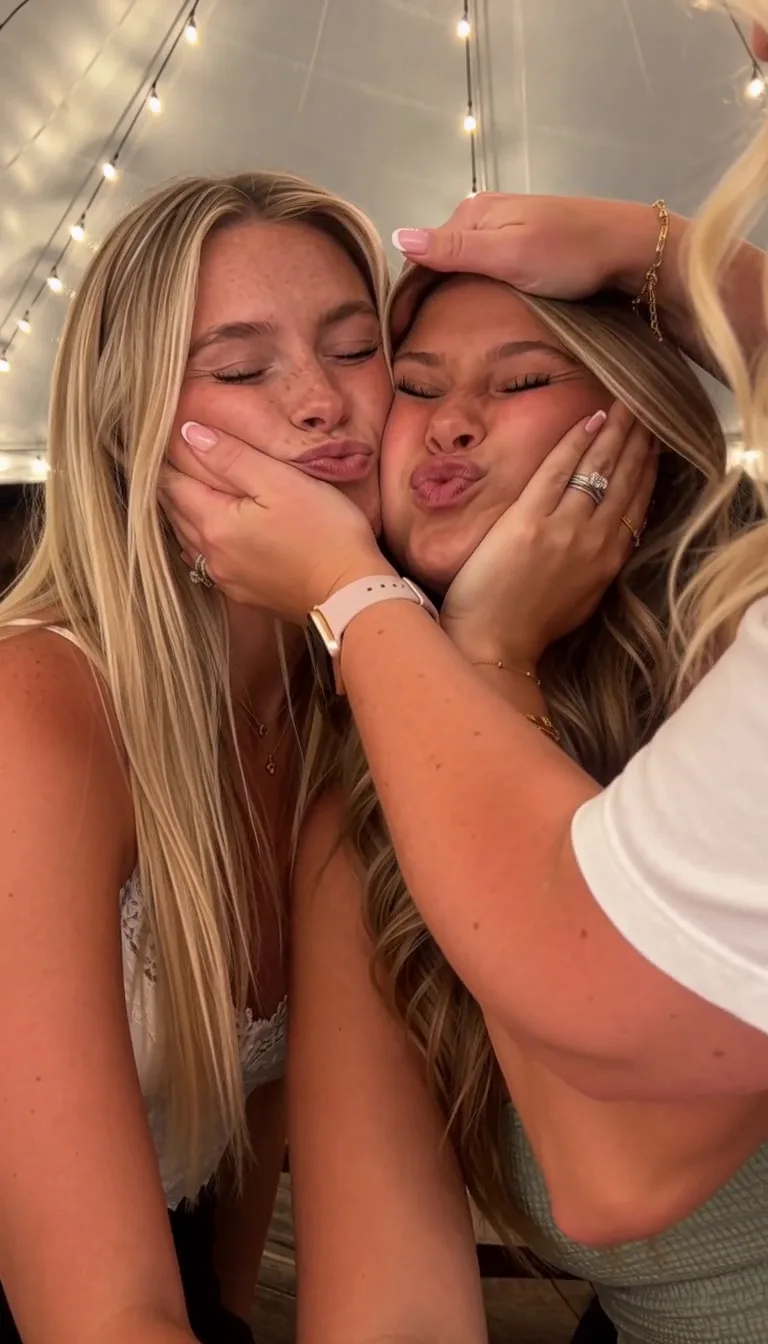
Three Squishy AI trend clips, each one a template in the generator above. Each started from one real photo in a TikTok #squishyface post. Pick one, upload your photo, and the prompt is already written.
Cheeks squeezed into a fish face until he cracks up
What the Squishy AI trend is
The Squishy AI trend turns one photo of someone into a short clip where a pair of hands squeezes their face like a squishy stress toy. It took off on TikTok in October 2026, riding the [squishy toy craze](https://www.tiktok.com/discover/squishy-trend) (NeeDohs, dumpling and butter squishies) and the CapCut "Squishy" template behind the "How to Make the Viral Squishy AI Trend" posts. This page makes yours: a [photo to video AI](/video/photo-to-video) set up for this one squeeze.
Creative engine
One photo in, a squish clip with sound out
Nobody has to touch your face: the hands, the squeeze and the jiggle are made around your photo.
The Squishy AI trend starts from a photo
The clips going round take one still photo of someone and turn their face into a stress toy: the squeeze, the puffed cheeks, the slow jiggle back. Yours starts from your photo.
It is not a CapCut template
The tutorial posts send you off to find the "Squishy" template in an app. Here you upload the photo and the clip is made from it.
It is not a face filter
A Snapchat squish lens warps a live camera. This is a finished video: real-looking hands, a face that squashes and springs back, and the sound to go with it.
How to do the Squishy AI trend
Upload one photo, and a few minutes later download a 12-second vertical clip with its sound.
- 01
Upload one photo
A face looking at the camera, close enough that the cheeks fill a good part of the frame, in good light. For the best-friends version, one photo with both of you cheek to cheek.
- 02
Pick a template
Kitchen fish face, car selfie or best friends. Each one already has its prompt; change the room, how hard the hands squeeze or how long the wobble lasts in the box if you like.
- 03
Generate and post
Your squish comes back vertical with its own squelch and wobble. Download it and post it to TikTok or Reels as it is, sound and all.
Who to put in the Squishy AI trend
The Squishy AI trend is funniest on a face everyone knows would never let you squeeze it.
You
Post your own squish with no caption. Half the comments will ask what app it is; the other half will ask you to do theirs.
Your boyfriend or girlfriend
The face you already squeeze every day, now going full jelly. Send it to them first, then to their mum.
The serious friend
The one who never pulls a face in photos. One photo of them and their cheeks are puffing up between two hands. Send it to the group chat.
Your best friend and you
A cheek-to-cheek selfie and both your faces get squeezed at once, until you both crack up.
Squishy AI trend questions
The Squishy AI trend is short AI clips where a pair of hands squeezes someone's face like a squishy stress toy: the cheeks puff up, the face squashes like jelly, then it wobbles back into shape. Each clip is made from one photo of the person. This page makes one of you: upload a photo and get a 12-second vertical clip with sound.
No. A squish face filter on Snapchat or TikTok warps your face live in the camera. The Squishy AI trend is a finished video made from a still photo: hands come into the frame, squeeze the face and let go. You upload the photo here and download the clip.
No. The TikTok tutorials point you to a CapCut template, but here you upload one photo in your browser and the squish is made from it. There is no app to install and no template to search for.
One photo of a face looking at the camera, close enough that the cheeks are clearly visible, in good light. For the best-friends version, upload one photo with both of you cheek to cheek. The clip keeps the faces, hair and glasses as photographed.
One video is $9.99, paid once, with no subscription. Three videos are $19.90 and five are $29.90. The credits never expire, and a run that fails is refunded.
Each clip is 12 seconds long, vertical 9:16 for TikTok, Reels and Shorts, at 720p. It comes with its own sound: a squelch on each squeeze, a rubbery wobble and a laugh, not a song. It is made on Seedance 2 Mini; you can switch to Seedance 2 Fast, 2.0 or 2.5 before you generate.
Your squish is ready in a few minutes, and you can leave the page open and come back to it. If a run fails, the credits go back to you.
Your Squishy AI trend clip, while it is still everywhere
The squishy craze is all over TikTok this month. Upload one photo and post your squish while everyone is still squeezing. A run that fails is refunded.