3D
3D animation
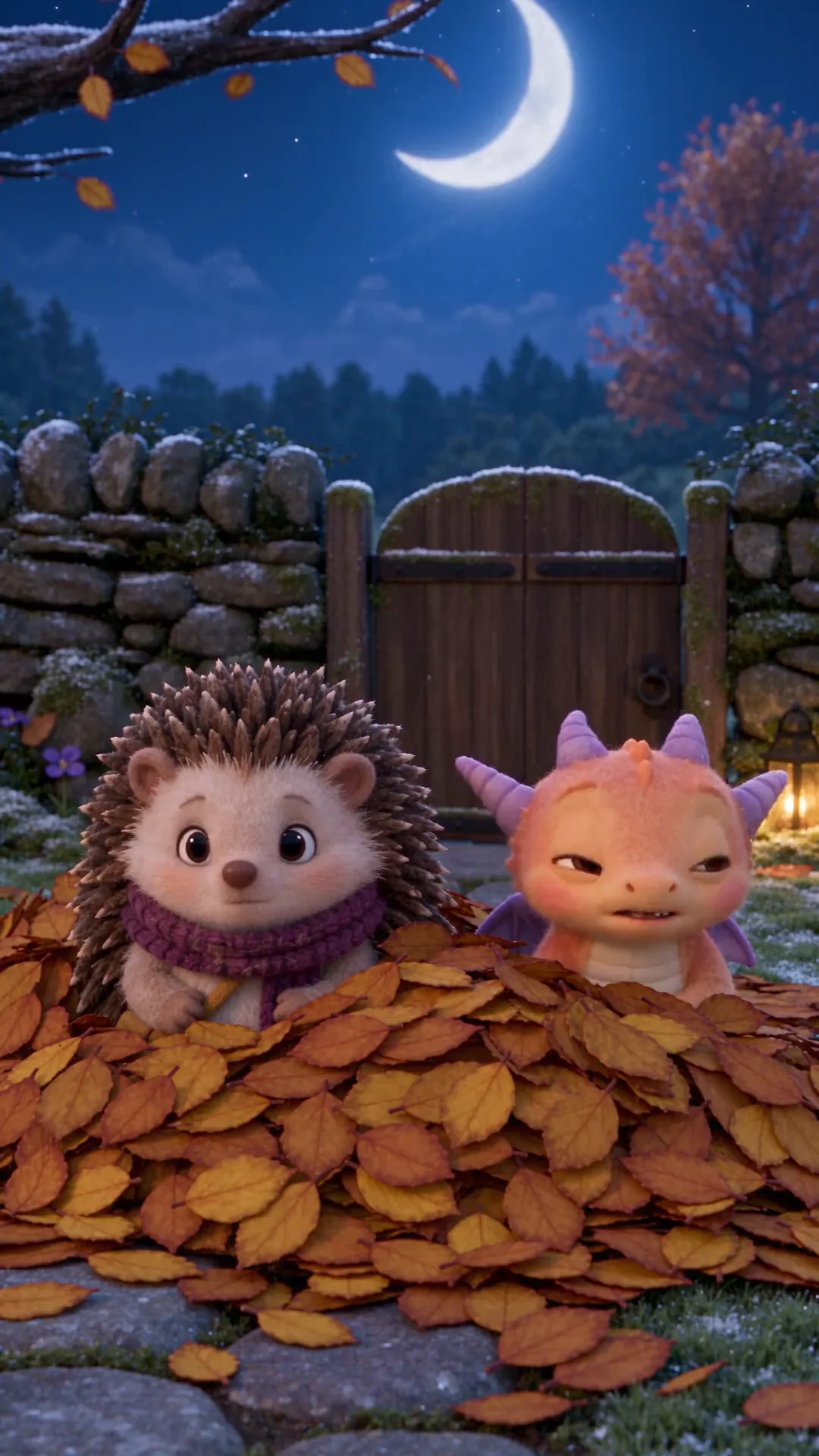
Open with 3D animated film, soft global lighting, expressive faces. It suits family shorts, faith and kids' series and product mascots; describe the camera move and it glides through the set.
4-second voiced clips in six looks · First one without an account · Nothing stamped on the video · No daily cap when signed in
Pick a look, type one moment, and your story comes back animated in it, voices and sound included, ready for the people who follow it. Sign in for free and animate the next scene, with no daily cap.
Five clips, one per look, each with a template prompt written for it: choose one, swap in your own character and moment, and press Generate to animate yours in the same look.
Type one moment, or upload a picture of your character, and pick the look. The AI animation generator animates it on MiniMax H3 as a free 4-second clip with the voices, the effects and the music in it. Your first clip needs no account; a free account then has no daily cap and nothing stamped on the video. A plan adds sharper picture, 15-second clips, commercial use and a whole episode lined up at once.
Creative engine
Who is in the shot, what happens, the look and what we hear go in; a clip that moves, talks and sounds like a finished scene comes out.
Name the look first, then the character, the single action and the sound. Text to animation in the AI animation generator is the fastest way to try six looks on one idea before you pick the one your channel will keep.
A drawing, a 3D render, a photo of a clay figure: upload it and say what it does. The clip keeps the face, the colours and the outfit from your picture, and image to video AI, free and unlimited runs the same free lane for any picture at all.
Want Saturday-morning cel cartoons? The AI cartoon video generator is tuned for that flat look. Big eyes and Japanese pacing? The anime AI video generator is next door. This page is for every other kind of AI animation.
Each AI animation style answers to a few words at the very start of the prompt. Put them first and the AI animation generator holds the look through the whole clip.
Open with 3D animated film, soft global lighting, expressive faces. It suits family shorts, faith and kids' series and product mascots; describe the camera move and it glides through the set.
Open with claymation, plasticine characters, visible fingerprints, tabletop set. Funny food, pets and little monsters look best in it, and a squelch or a pop in the sound line lands on the frame.
Open with stop motion animation, felt and wool puppets, slight frame jitter. Ask for a miniature room and practical light and it reads like a short shot on a real tabletop.
Open with paper cutout animation, layered card, soft drop shadows. Fables, explainers and history channels use it because every layer stays readable on a phone.
Open with hand-drawn watercolor animation, paper texture, gentle line wobble. Bedtime stories, lo-fi music loops and poetry readings sit well in it.
Open with pixel art animation, 16-bit palette, side view. Game trailers, music loops and retro intros; keep the action simple, like a jump, a run or a sword swing.
Flat cel shading and bold outlines, with squash and stretch. The AI cartoon video generator opens with that look already in the box.
Big eyes, speed lines and a different line weight. The anime AI video generator has the anime prompt words and episode tricks.
Write each AI animation generator prompt like one panel of a storyboard: the look, the moment, the line and the sound.
Claymation, 3D animated film, paper cutout: the first words decide the whole clip, so a prompt that opens with them stays in that look from the first frame to the last.
Say who is in the shot, where they stand and the one thing that happens. Four seconds holds a single beat; a plan's 15 seconds holds a short exchange.
The clay snail says "Am I late?" or the paper fox whispers "Follow me." Name who says it and how, and the character speaks it in the clip.
Save the character with a picture and a description, or upload the same picture each time. The next scene opens with the same face in the same look.
Three ways in, one generator. A signed-in free account is the best free AI animation generator to build a whole series on: every look, voices in every clip, no daily cap, nothing stamped on the video. A two-minute episode is about thirty clips, and every one of them is free.
A kids' channel, an explainer, a music video, a short with your own characters: the AI animation generator draws the shots, and the story stays yours.
One warm 3D or watercolor character, two or three places, 30 to 45 seconds an episode: that is how small channels start on almost no budget. Every shot is free on a signed-in account, and the AI kids story video generator walks through a bedtime episode shot by shot.
In the AI animation generator, each idea becomes one layered card scene with a narrator's sentence in quotes. Paper cutout keeps a busy topic readable on a phone, and the voice is already in the clip.
Watercolor rain on a window, a pixel-art city at night, a clay band on a tiny stage: one look for the whole song, cut to the beat in your editor. The AI music video generator builds the clips around your track.
Save the characters once and each episode opens with the same faces in the same look. Keep the look words identical in every prompt, and episode ten looks like it came from the same studio as episode one.
The character from your sketchbook, the mascot of your shop, the clay figure on your desk: upload the picture and it walks, waves and talks in the clip.
The same free lane, set up for one job each, for the scene after this one.
Unlimited MiniMax H3 on every paid plan, plus fast credits each month for Veo 3.1, Seedance and Grok. A failed run is refunded.
Free · A real clip before you pay anything
Nothing to sign, nothing to cancel.
1×
full-speed H3 a day
1
clip rendering at once
Queue up to 5 clips — they render while you're away
What's included
2×
full-speed H3 a day, vs Starter
2
clips rendering at once
Queue up to 20 clips — they render while you're away
Everything in Starter, plus
Checkout runs on Stripe. Your card details never reach Movoa.
5×
full-speed H3 a day, vs Starter
3
clips rendering at once
Queue up to 50 clips — they render while you're away
Everything in Creator, plus
10×
full-speed H3 a day, vs Starter
5
clips rendering at once
Queue up to 100 clips — they render while you're away
Everything in Pro, plus
Cancel from Settings → Billing whenever you like; your plan keeps running until the end of the period you already paid for. Who runs Movoa, every model on the shelf and how to reach us are on the about page.
Yes, this AI animation generator does it in your browser. Type one moment or upload a picture, pick 3D, claymation, stop motion, paper cutout, watercolor or pixel art, and it comes back as an animated clip with voices and sound.
Yes. It makes 4-second 480p animated clips with sound on MiniMax H3 for free. Your first clip runs without an account; after that, a free account keeps going with no daily cap and nothing stamped on the video.
Yes. Upload the picture, say what happens in it and press Generate; the clip keeps your character's face, colours and outfit. It is free on MiniMax H3, the first clip without an account and every one after it on a signed-in free account.
You can make your own warm 3D animated scenes. Open the prompt with 3D animated film, soft lighting and expressive faces, describe an original character, and the AI animation generator renders that look. Characters from existing films belong to their studios, so describe your own hero instead of naming theirs.
ChatGPT writes the script and the shot list well; the AI animation generator is where those shots become moving clips with sound. Paste one line of the shot list per clip, name the look first, and each clip comes back animated and voiced.
Split the script into moments, one per clip, and animate them one at a time. A free account has no daily cap, so a shot you do not like is simply made again; cut the clips together in CapCut or any editor. On a plan, a whole episode lines up at once and renders with the tab closed.
Save the character once with a picture and a description, or upload the same picture for every scene, and keep the look words the same. The AI animation generator brings back the same face, outfit and style in the next clip.
No. Write the line in quotes and say who says it; MiniMax H3 voices it in the same pass as the picture, with the effects and the music you name. There is no voice-over step and nothing to record.
On a signed-in free account, nothing: two minutes is about thirty 4-second clips, and there is no daily cap. A plan makes each clip up to 15 seconds and sharper, so the same two minutes is eight or nine clips, and it adds commercial use.
Posting what you make with the AI animation generator, yes, free and paid. Commercial use, such as a monetized channel, ads or client work built on the clips, comes with a paid plan.
Your first animated clip runs without an account. After it, a free account is what keeps the no-daily-cap lane open, and signing in with Google or an email is the whole setup.
Yes. Nothing installs on your machine: the AI animation maker runs in your browser on a phone or a laptop, so no GPU, ComfyUI or local setup is needed, and every clip downloads as an MP4 with its sound.
No. Nothing is stamped on any clip the AI animation generator makes, free or paid, so the animation downloads as rendered and posts as it is.
Pick the look, write one moment, press Generate: your first animated clip runs without an account, voiced and scored, with nothing to crop before you post it. The next scene is one prompt away.
Free · 480p · with sound