
Copies a real cover
KDA Firestarter dance
A real Firestarter cover is the motion guide, so the person in your photo hits the same arm moves and the same dip. Open the KDA Firestarter dance page.
Free to try · Music in every clip · No daily cap on a free account
Photo dance AI from one picture: pick a dance, add your full-body photo, and the person in it steps, spins and hits the beat in a clip with its own music.
Six photo dance AI clips, each one a template in the generator above: a person, a pet, a character, a toy. Pick the dance, upload your own photo, and its prompt is already written.
Photo dance AI keeps your photo as the opening frame and writes the seconds after it: the arms swing, the feet step, the camera moves, and a beat plays under it. The dance comes from the prompt, so one sentence changes it. A free clip runs 4 seconds with music; a plan takes the same dance to 15 seconds. It is the same engine as photo to video AI free, with the dance already written in.
Creative engine
A full-body photo and a short description of the moves go into photo dance AI; an MP4 with music comes out.
Nobody's face is pasted onto a stranger's dance video. The body dancing is the person in your photo, in the clothes they were wearing.
There is no app to install and no fixed template library. Any dance you can describe in a sentence is a dance the AI dance generator can try.
The clip has its own music. To post it with a trending sound, pick that sound in TikTok or Reels when you upload.
An AI dance generator from photo works one of two ways. Photo dance AI on this page describes the dance in words, which is free to try. Copying a real dance move for move uses a reference clip and lives on the named dance pages.
From one picture on your phone to a photo dance AI clip you can post, free.
Head to feet in frame, one person, some floor around them. A dance lives in the arms and legs, so a face-only selfie leaves the AI dance generator guessing.
Tap an example to load its prompt, or write one sequence: two steps to the side, a shoulder pop on the beat, a spin to camera.
Press Generate and the photo dance AI clip comes back with its music. Change one line and run it again until the moves land.
Save the MP4 to your camera roll and post it to TikTok, Reels or Shorts, or drop it in the family chat.
Left is the ordinary photo the clip started from; right is the photo dance AI result. The first frame of the dance is the picture on the left, so the person stays the same.
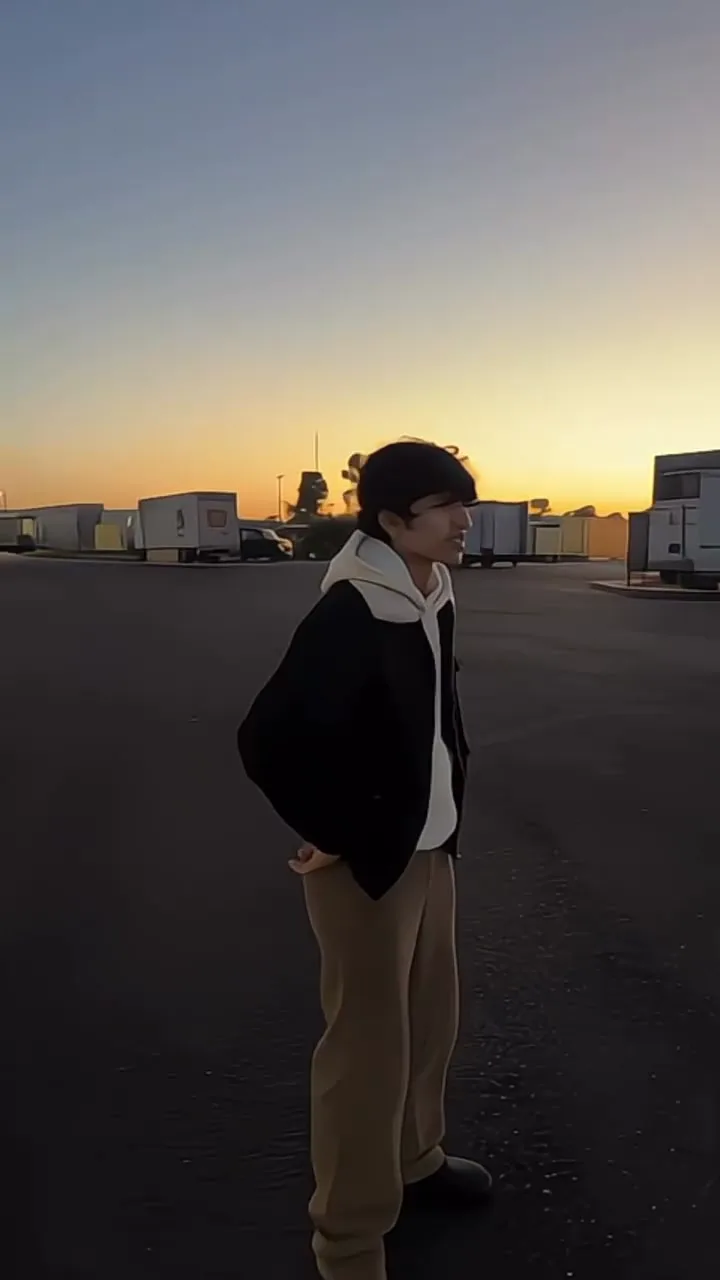
In photo dance AI the picture decides more than the prompt does. These habits come from what the model has to invent once your first frame starts to move.
Head to shoes. Cropped legs have to be made up, and made-up legs are where a dance looks wrong.
One person reads cleanly. A group shot gives the AI dance generator five bodies to move at once.
Leave floor and space at the sides. A spin needs somewhere to go.
Hands visible and out of pockets: the model sees where the arms are before it swings them.
A vertical photo makes a vertical clip, ready for TikTok, Reels and Shorts without black bars.
The clip keeps the light of your photo. A sharp daylight picture stays sharp while it dances.
When you want one particular trend rather than your own idea, each of these photo dance AI pages has the dance already set: you bring the photo.
A real Firestarter cover is the motion guide, so the person in your photo hits the same arm moves and the same dip. Open the KDA Firestarter dance page.
The side-step, the point up and the shimmy across a pink-lit wedding floor. The Bby Wow AI dance page has three party settings to pick from.
The smooth two-step under a Rio overpass, with the crowd falling into the same steps. The baile charme AI dance page sets the scene for you.
Unlimited MiniMax H3 on every paid plan, plus fast credits each month for Veo 3.1, Seedance and Grok. A failed run is refunded.
Free · A real clip before you pay anything
Nothing to sign, nothing to cancel.
1×
full-speed H3 a day, vs Starter
1
clips rendering at once
What's included
2×
full-speed H3 a day, vs Starter
2
clips rendering at once
Everything in Starter, plus
Checkout runs on Stripe. Your card details never reach Movoa.
5×
full-speed H3 a day, vs Starter
3
clips rendering at once
Everything in Creator, plus
10×
full-speed H3 a day, vs Starter
5
clips rendering at once
Everything in Pro, plus
Cancel from Settings → Billing whenever you like; your plan keeps running until the end of the period you already paid for. Who runs Movoa, every model on the shelf and how to reach us are on the about page.
Yes. Photo dance AI runs on MiniMax H3 at no cost: a 4-second 480p clip with music, your first one with no account and then no daily cap on a free account. Plans, listed on the pricing page, add 768p, clips up to 15 seconds and commercial use.
Yes. Photo dance AI here needs no subscription and no card. Clips render one at a time in a shared queue, so the next dance starts as soon as the last one lands.
Your photo becomes the first frame and the model writes the frames after it, moving the body the way the prompt describes. That is why a full-body photo and a short, specific dance description give the best photo dance AI clips.
Not on this page: here the dance comes from the words in the prompt, so each run is its own take. For one named dance done exactly, use a page built around a real clip, like the KDA Firestarter dance, where a cover video guides every move.
Yes. Every MiniMax H3 clip has an audio track, so the beat, footsteps and room sound come with it. It is the model's own music, not a licensed song; add the trending sound in TikTok or Reels when you post.
Yes. Upload a clear photo of your pet with its whole body in view, and pick the cat example as a starting prompt. Photo dance AI keeps the fur, markings and collar from your photo.
Free photo dance AI clips are 4 seconds, enough for a few steps and a spin. On a plan, MiniMax H3 runs from 4 to 15 seconds at 768p, so a whole short routine fits in one take.
You do not need one. Photo dance AI here runs online in the phone browser, so you upload from your camera roll and the clip downloads straight back to it.
A full-body photo of one person: head to feet in frame, arms visible and some floor around them, in good light. Upright photos make upright clips for TikTok and Reels.
On your own accounts, yes, free photo dance AI clips included. Ads, client work and monetized channels need a paid plan, which includes commercial use.
Then the photo to video AI free page is the better fit: the same free model, for a photo that should smile, turn or look around rather than dance.
Pick the dance, upload one full-body photo, and send the clip to the person who will not believe it is them.
Free · 480p · with sound